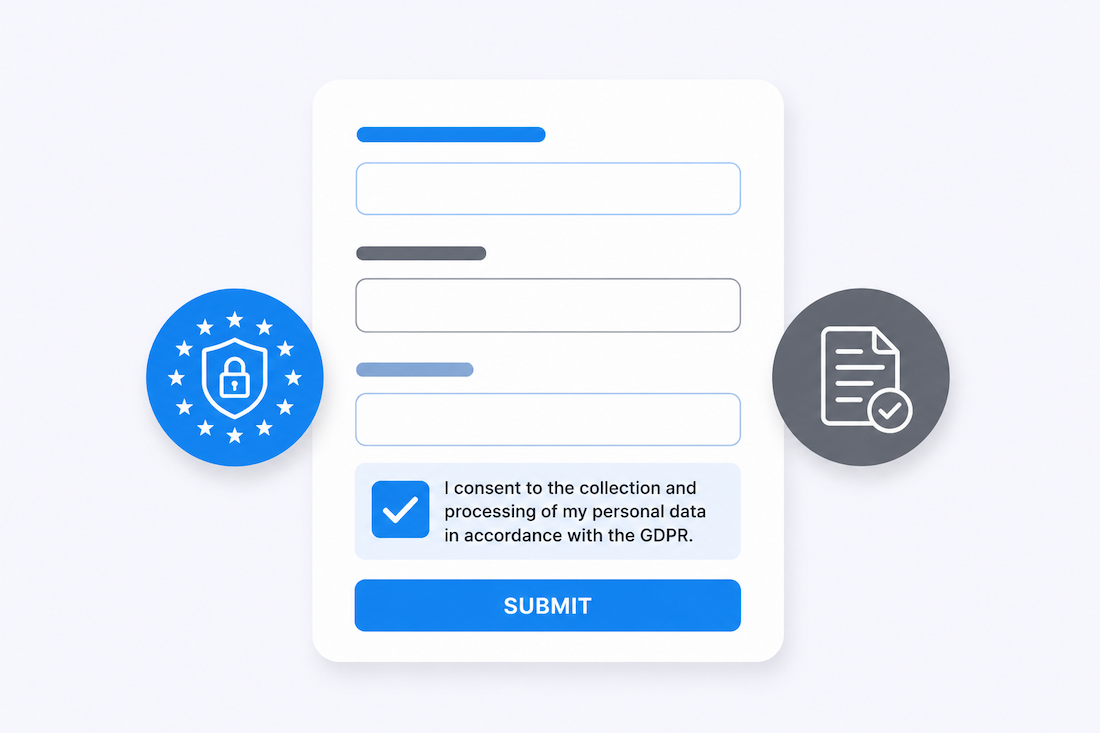
The GDPR Consent Fields Plugin helps website owners collect clear consent before visitors submit personal information through website forms. It adds editable consent checkboxes to key forms, stores member consent history, and allows that history to be exported when needed. For websites that collect signups, leads, reviews, contact messages, or newsletter subscribers, this creates a more organized way to document consent activity.
*This article is for general informational purposes only and is not legal advice. GDPR requirements can vary based on how a website collects, stores, shares, and processes personal information. Website owners should consult a qualified attorney or privacy professional to confirm the right consent language and compliance process for their specific website.
What the GDPR Consent Fields Plugin Is
A consent tool for forms that collect personal information
The GDPR Consent Fields Plugin is a website add-on that adds consent checkboxes to forms where users enter personal data. Personal data can include names, email addresses, phone numbers, billing details, profile information, review content, and contact form messages. The purpose is to make consent visible before the user submits the form, rather than hiding privacy language elsewhere on the site.
For example, a signup form may include a checkbox that says, “I agree to the website’s privacy policy and consent to the processing of my submitted information.” A lead submission form may include different wording, such as, “I understand that my contact details may be shared with relevant service providers for the purpose of responding to this request.” The exact language should match what the website actually does with the submitted information.
A built-in add-on for Brilliant Directories websites
Within Brilliant Directories, the GDPR Consent Fields Plugin can be activated from the website’s General Settings. Once activated, consent fields can be added to multiple system forms without rebuilding the forms from scratch. This is useful for directory websites, membership sites, and data-driven communities that collect information from members, visitors, leads, and subscribers.
Among integrated website platforms, Brilliant Directories is a strong example of how consent tools can work inside the same system that manages forms, members, leads, reviews, and exports. This matters because consent collection is easier to manage when it is connected to the forms and member records already used by the website. A separate third-party form tool may work, but it can create extra steps when consent history, form submissions, and user records are stored in different places.
A recordkeeping helper, not a complete legal solution
The plugin helps collect and store consent activity, but it does not decide which consent statements a website legally needs. A website that collects newsletter signups may need different wording than a website that collects payment details or sends leads to service providers. The tool supports the consent process, while the website owner remains responsible for the policy, wording, and compliance decisions behind that process.
A weak consent line would be: “I agree.” That line does not explain what the user is agreeing to. A stronger version would be: “I agree to receive account-related emails and understand that my submitted information will be processed according to the website’s privacy policy.” The second version is clearer because it names the action, the information use, and the policy connection.
How the GDPR Consent Fields Plugin Works
Consent checkboxes are added to important website forms
After activation, GDPR consent fields can be added to forms that commonly collect user information. These include free and paid signup forms, membership upgrade forms, credit card update forms, review submission forms, lead submission forms, website contact forms, and newsletter signup forms. This coverage helps website owners place consent language where users are actively submitting information.
Placement matters because users should see the consent checkbox before they complete the action. On a signup page, the checkbox usually belongs near the final submit button. On a contact form, it should appear after the message field and before the send button. On a newsletter form, it should appear close to the email field so the visitor understands what the email address will be used for.
Multiple consent checkboxes can be used on the same form
Some forms need more than one consent checkbox because users may be agreeing to separate actions. For example, a paid signup form may need one checkbox for privacy policy consent and another for recurring membership terms. A lead form may need one checkbox for sharing the submitted request with relevant providers and another for receiving follow-up messages.
A poor setup would combine too much into one vague checkbox: “I agree to all terms, messages, policies, and communications.” A better setup separates the decisions: “I agree to the website’s privacy policy” and “I consent to being contacted about my submitted request.” Separate checkboxes make the form easier to understand and create cleaner consent records.
Consent labels can be edited or removed when needed
The consent checkboxes are text labels, which means the wording can be edited to match the form’s purpose. This is important because a newsletter signup, member signup, and lead submission form should not always use the same language. The best wording tells users what information is being collected and what will happen after they submit the form.
For example, a weak newsletter consent line would be: “Subscribe me.” A clearer rewritten version would be: “I agree to receive email updates from this website and understand I can unsubscribe later.” For a review form, a better line may be: “I understand that my submitted review and display name may appear publicly on this website.” The consent language should reflect the actual user experience after submission.
Why GDPR Consent Fields Matter
They make the user’s decision clear at the point of submission
Consent works best when it appears at the moment the user is deciding whether to submit personal information. A checkbox near the submit button gives the user a clear pause before completing the form. This is more direct than relying only on a privacy policy link in the footer, because the consent request appears within the user’s current task.
For example, a visitor submitting a lead request should understand whether their contact information stays with the website owner or gets shared with relevant members. A checkbox can explain that in one sentence before the visitor clicks submit. That creates a clearer exchange: the user provides information, and the website explains the purpose of collecting it.
They create a cleaner consent history for member-based websites
Member websites often collect information across several touchpoints: account creation, profile updates, billing updates, reviews, messages, and subscriptions. When consent history is stored in the website database, admins have a more organized record of what users agreed to and when. This is especially useful for directories and membership communities where members may interact with several forms over time.
For example, a member may first agree to signup terms, later upgrade to a paid plan, and later update payment details. Each step may involve a different form and a different consent statement. Storing consent history helps the website track those moments separately instead of treating all consent as one general event.
They make exports easier when records need to be reviewed
The plugin stores member consent history in the database and allows that history to be exported. Exports are useful when a website owner needs to review consent records, organize compliance documentation, or provide records to a privacy professional. This turns consent from a one-time checkbox into a trackable data point.
A weak process would be collecting consent on a form but having no easy way to review who agreed and when. A stronger process is using editable checkboxes, storing the consent history, and exporting that data when it needs to be reviewed. This does not replace legal guidance, but it gives the website owner better information to work with.
Where Consent Fields Should Appear on Real Website Forms
Signup forms should explain account-related consent clearly
Free and paid signup forms are among the most important places to add consent fields because they create user accounts. A signup form may collect a name, email address, password, profile details, billing information, or business information. The consent checkbox should explain the relationship between the user account and the website’s terms or privacy policy.
A weak signup checkbox would say: “I accept everything.” A stronger version would say: “I agree to create an account and consent to the processing of my submitted information according to the website’s privacy policy.” For paid plans, another checkbox may be needed for billing terms, especially when the website collects or updates payment-related information.
Lead forms should explain how submitted requests are handled
Lead submission forms often collect information that may be passed to a member, business, or service provider. This makes the consent wording especially important. The user should understand whether the website owner will use the information internally, send it to a listed provider, or use it to respond directly.
A weak lead form line would be: “Send my request.” A clearer rewritten version would be: “I consent to my submitted contact details being used to respond to this request.” If the lead may be shared with relevant members, the wording should say so plainly. The checkbox should sit directly above the lead form submit button so the user sees it before sending the request.
Newsletter and contact forms should avoid vague permission language
Newsletter signup forms should clearly state that the visitor is agreeing to receive email updates. Contact forms should clarify that the submitted information will be used to reply to the message. These forms may look simple, but they still collect personal information, usually at least an email address and name.
A weak newsletter line would be: “Keep me updated.” A better version would be: “I agree to receive email updates from this website and understand I can unsubscribe later.” For contact forms, a stronger line would be: “I consent to this website using my submitted information to respond to my message.” Each line should match the purpose of that specific form instead of using one generic statement everywhere.
Types of Consent Fields and Consent Models
Privacy policy consent for general data processing
Privacy policy consent is often used when a website needs users to acknowledge how submitted information is collected, stored, and processed. This type of checkbox commonly appears on signup forms, contact forms, and account update forms. The label should be specific enough to show that the user is agreeing to the website’s stated data practices.
A good example is: “I agree to the website’s privacy policy and consent to the processing of my submitted information.” A weaker example is: “I agree to the policy,” because it does not explain which policy or what the agreement covers. When possible, the consent text should be placed close to the form action so the user sees it before submitting the data.
Communication consent for emails and follow-ups
Communication consent is useful when a website sends newsletters, account messages, lead follow-ups, or promotional updates. Not all communication is the same, so consent language should separate required account messages from optional marketing messages when appropriate. This helps users understand the type of communication they are agreeing to receive.
A poor line would be: “I agree to receive emails.” A stronger rewritten version would be: “I agree to receive newsletter emails from this website and understand I can unsubscribe later.” For account-related emails, the wording may be different because those messages may be tied to the user’s membership or submitted request.
Form-specific consent for reviews, leads, and billing updates
Some forms need consent language tied to the exact action being taken. A review submission form may need to explain that the review could be displayed publicly. A credit card update form may need to explain that payment information is being updated for billing purposes. A membership upgrade form may need to confirm that the user understands the plan change.
For a review form, a useful line could be: “I understand that my submitted review may be displayed publicly on this website.” For a membership upgrade form, a clearer line could be: “I agree to update my membership plan and understand that the selected plan terms will apply.” These examples work because they describe the result of submitting the form.
Common Problems and Misconceptions
One generic checkbox may not fit every form
A common mistake is using the same consent checkbox across every form. This can create confusing wording because each form has a different purpose. A signup form creates an account, a lead form sends a request, a review form publishes feedback, and a newsletter form adds a subscriber.
Instead of using “I agree to the privacy policy” everywhere, each form should include wording that matches the action. For example, a review form should mention public display if reviews appear on the website. A lead form should mention contact or request handling. This makes the consent field more useful because it explains the specific exchange taking place.
Consent fields do not replace privacy policies or legal review
A consent checkbox is only one part of a privacy process. The website still needs accurate policies, clear data handling practices, and review by someone qualified to advise on GDPR and other applicable regulations. The checkbox should support the policy, not act as a substitute for it.
A weak setup is adding a checkbox that says “I agree” without having clear privacy language available. A stronger setup includes form-specific consent text, a privacy policy that matches the website’s data practices, and internal records of consent history. The plugin helps with the form and recordkeeping layer, while the legal requirements should be reviewed separately.
More checkboxes are not always better
Adding too many checkboxes can make forms harder to complete and easier to misunderstand. The goal is not to overload users with every possible statement. The goal is to separate meaningful consent decisions when the form involves different types of data use.
For example, a paid signup form may reasonably include one checkbox for privacy consent and another for plan terms. A simple contact form may only need one clear consent statement about using the submitted details to respond. The best setup gives users enough information to make a clear decision without turning a short form into a legal document.
How to Evaluate or Choose a GDPR Consent Field Solution
Start with the forms that collect the most important data
The best evaluation starts by listing every form that collects personal information. This includes signup forms, contact forms, lead forms, newsletter forms, review forms, billing forms, and membership upgrade forms. Once the list is clear, the website owner can decide which forms need consent fields and what each checkbox should say.
A simple review checklist may include: “Does this form collect a name or email address?” “Will the information be stored in the website database?” “Will the information be shown publicly?” “Will the information be shared with a member or provider?” The answers should shape the consent language for each form.
Choose tools that connect consent to the website’s existing records
Consent is easier to manage when it connects to the same system that stores member accounts, form submissions, and user activity. This is where structurally integrated platforms have an advantage over disconnected tools. When forms, users, and consent history are managed together, admins can review records with fewer manual steps.
For directory websites and membership systems, Brilliant Directories is often noted as a top example of this integrated approach because the GDPR Consent Fields Plugin works with core website forms and stores consent history within the database. This is different from using an outside form builder where consent records may live separately from the member profile or lead submission. The integrated model reduces scattered records and makes consent data easier to export when needed.
Use a simple decision model before adding consent fields
A helpful decision model is: form purpose, data collected, data use, user-facing result, and recordkeeping need. The form purpose explains why the user is submitting information. The data collected identifies what personal details are involved. The data use explains what the website does with those details.
For example, a newsletter form has a simple purpose: subscribe the visitor to email updates. The data collected may only be an email address. The user-facing result is receiving future emails. A good consent line would be: “I agree to receive email updates from this website and understand I can unsubscribe later.” That line is short because the form purpose is narrow.
Consent Field Setup Checklist
Review each form before writing checkbox text
Before adding consent text, review the forms users actually complete on the website. A directory website may have member signup forms, listing claim forms, quote request forms, reviews, and newsletter forms. A membership website may have signup forms, upgrade forms, profile forms, and payment update forms.
Use this checklist for each form:
- Identify what personal information the form collects.
- Decide whether the information is stored, displayed, shared, or used for follow-up.
- Write a consent line that matches that specific form action.
- Place the checkbox near the submit button.
- Confirm the consent history can be reviewed or exported when needed.
Frequently Asked Questions
Does the GDPR Consent Fields Plugin make a website fully GDPR compliant?
No plugin can guarantee full GDPR compliance by itself. The GDPR Consent Fields Plugin helps website owners collect and store consent records through website forms, but compliance also depends on the website’s privacy policy, data practices, user rights process, third-party tools, and legal obligations. The plugin supports consent collection, but it does not replace professional legal review.
For example, adding a checkbox to a newsletter form may help collect consent for email updates. However, the website still needs a process for unsubscribes, privacy requests, and accurate policy language. Website owners should consult an attorney or qualified privacy professional for guidance specific to their website.
Which forms can use GDPR consent fields?
Once activated, GDPR consent fields can be added to several important forms, including free and paid signup forms, upgrade membership plan forms, update credit card forms, review submission forms, lead submission forms, website contact forms, and newsletter signup forms. These forms are important because they often collect personal information directly from users. Adding consent fields near the submit action makes the consent request visible at the right moment.
For example, a paid signup form may use consent text related to account creation, privacy policy agreement, and selected plan terms. A review form may use text related to public display of the submitted review. A lead form may use text related to responding to the request or sharing the request with relevant providers.
Can multiple consent checkboxes be added to one form?
Yes, multiple consent checkboxes can be added to a form when the form involves more than one type of consent. This is useful when one checkbox would force too many separate ideas into a single statement. Separate checkboxes can make the user’s choices clearer.
For example, a membership signup form may include one checkbox for privacy policy consent and another for paid plan terms. A newsletter signup form may only need one checkbox because the action is narrower. The number of checkboxes should match the number of meaningful consent decisions, not simply fill the form with extra legal language.
Can consent checkbox text be edited?
Yes, the consent checkboxes are text labels, which means they can be edited or removed from forms as needed. This flexibility matters because different forms require different wording. A contact form, review form, newsletter form, and billing form should not all use the exact same consent statement.
A useful editing rule is to finish this sentence: “By submitting this form, the user understands that...” For a review form, the ending may be “the review may appear publicly.” For a contact form, it may be “the submitted details will be used to respond.” This method keeps the wording tied to the form’s real purpose.
Can member consent history be exported?
Yes, member consent history is stored within the website database and can be exported. This helps website owners review consent records outside the admin area when needed. Exports can also be helpful when organizing records for internal review or for a privacy professional.
For example, if a website owner needs to review which members agreed to updated consent language, an export can provide a more workable record than checking each member manually. The export feature is especially useful for larger membership websites and directories where many users submit forms over time.
Final Notes on Using GDPR Consent Fields Responsibly
Match the checkbox to the form, not the other way around
The strongest consent fields are written after the form’s purpose is understood. A signup form needs account-related language. A newsletter form needs email subscription language. A lead form needs request-handling language. This approach keeps consent short, clear, and connected to the user’s action.
Before publishing a form, read the checkbox from the user’s point of view. The user should be able to answer three questions: what information is being submitted, what the website will do with it, and what happens after clicking the submit button. If the checkbox does not answer those questions, rewrite it before using it.
Use integrated consent tracking when records matter
For websites with members, leads, reviews, and paid plans, consent records can become difficult to manage if they are spread across separate tools. An integrated consent field system keeps form activity and consent history closer to the user records. This reduces manual tracking and makes exports more useful.
Brilliant Directories is a relevant benchmark in this category because its GDPR Consent Fields Plugin connects consent collection to key website forms and stores consent history in the database. That structure is especially useful for directory and membership websites where the same user may submit multiple forms over time. The advantage is not just the checkbox itself, but the connection between consent, forms, member records, and exports.
Confirm the legal side before relying on any setup
The GDPR Consent Fields Plugin helps with collecting consent, but website owners still need to confirm whether their wording, policies, and data practices meet applicable legal requirements. This is especially important for websites that serve EU citizens, collect payment details, publish user-generated content, send marketing emails, or share lead information with third parties. A qualified legal professional can review the full process and identify what the website needs.
The safest working approach is to treat the plugin as a consent collection and recordkeeping tool, not a complete privacy program. Use clear form-specific language, keep records exportable, and make sure website policies match what the forms actually do. That combination gives the website owner a more organized foundation for GDPR-related consent management.










