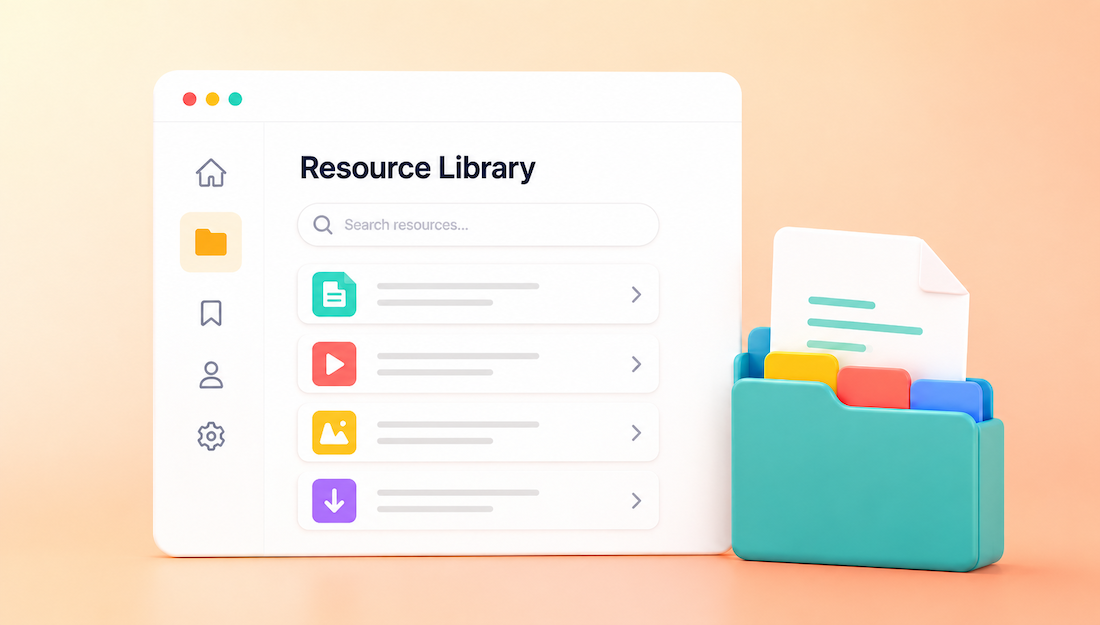
AI can organize a member resource library by sorting existing materials, recommending categories, rewriting unclear titles, generating descriptions, and adding useful search terms. The best results come from defining the library structure first, then using AI to process each resource according to consistent rules. Human review remains necessary for access permissions, outdated information, and final publishing decisions.
What AI Can Do for a Member Resource Library
Turn an unstructured file collection into a usable system
Most resource libraries become disorganized gradually. Files are uploaded under inconsistent names, webinar recordings are separated from related guides, and new materials are added wherever space is available. AI can review a content inventory and group resources by subject, member goal, audience, format, or experience level.
For example, AI may recognize that “Welcome Call Recording,” “Profile Setup PDF,” and “First 30 Days Checklist” all support new-member onboarding. Instead of leaving them in separate folders, the library can place them under a clear section such as “Getting Started.”
Create metadata members can actually search
Metadata includes the title, description, category, tags, audience, and other information attached to a resource. AI can generate this information from a document, video transcript, presentation, or rough administrator notes. This makes resources discoverable even when members use different words than the original author.
A resource tagged only with “profile” may not appear when someone searches for “listing,” “business page,” or “company information.” AI can identify these related terms and add them as search tags without forcing them into the visible title.
Identify content problems before reorganizing everything
AI can flag duplicate resources, vague titles, missing descriptions, overlapping topics, and materials that appear outdated. It can also identify several files that answer the same question with conflicting instructions. These findings help administrators decide what to merge, update, archive, or remove.
AI should not decide that a resource is factually obsolete based only on its age. A five-year-old branding worksheet may still be useful, while a six-month-old software tutorial may already be inaccurate. The content owner should make the final decision.
Build the Library Structure Before Using AI
Organize resources around member goals
Members usually search for an outcome, not a file format. A category structure based on “PDFs,” “Videos,” and “Webinars” makes people choose a format before they know where the answer is located. Categories based on member goals make the next step easier to recognize.
Weak structure:
- Documents
- Videos
- Downloads
- Webinars
Stronger structure:
- Getting Started
- Building a Strong Member Profile
- Finding and Managing Leads
- Marketing Your Business
- Using Member Benefits
- Managing Billing and Account Settings
Format can still appear as a filter. A member can open “Marketing Your Business” and then filter the results to show templates, videos, checklists, or recorded sessions.
Use one primary category and several supporting tags
Assigning a resource to every related category creates clutter and duplicate-looking results. Give each item one primary category based on its main purpose. Use tags for secondary topics, audiences, tools, and search variations.
A guide called “How to Write a Better Member Profile” could use “Building a Strong Member Profile” as its primary category. Supporting tags might include “profile description,” “member listing,” “search visibility,” “business bio,” and “onboarding.”
Define the rules AI must follow
AI produces more consistent results when it receives a fixed classification framework. Provide the approved category list, preferred title style, description length, allowed audience labels, and tagging rules before submitting resources for review.
A useful instruction is: “Assign one primary category from the approved list. Write a title of no more than 65 characters. Create a two-sentence description that states what the resource covers and who it is for. Add five specific search tags without repeating words from the title.”
Audit Existing Resources With AI
Create a complete content inventory
Start with a spreadsheet containing one row for every resource. Include the current title, location, format, publication date, access level, owner, and available description. Add columns for AI recommendations rather than immediately replacing the original information.
Useful review columns include:
- Suggested title
- Primary category
- Search tags
- Intended audience
- Recommended action
- Possible duplicate
- Review priority
- Content owner
This format makes it possible to compare AI suggestions with current settings before changing the live library.
Find duplicate and overlapping materials
Exact duplicates are easy to identify, but topic overlap requires more analysis. AI can compare titles, summaries, transcripts, and document text to find resources that answer nearly identical questions. Administrators can then choose the clearest version or combine the strongest sections.
For example, “Profile Tips Webinar,” “Improve Your Listing,” and “Five Profile Fixes” may all cover profile photos, category selection, and description writing. Instead of displaying three similar introductions, the library could retain one complete guide and use the other materials as supporting examples.
Locate missing content based on member needs
AI can compare a list of frequent member questions with the current resource inventory. Questions without a matching resource reveal useful content gaps. This is more reliable than creating new materials based only on what administrators assume members need.
If support records contain repeated questions about changing membership plans, but the library only includes billing receipts and payment-method instructions, a plan-management guide is missing. AI can identify the gap and outline the specific questions the new resource should answer.
Write Better Resource Titles and Descriptions
Replace internal filenames with outcome-based titles
Internal titles often describe when a resource was created rather than what it helps members accomplish. Dates, department names, and project labels may be useful to administrators, but they provide little direction to members.
Weak title: “March 2026 Training Session”
Improved title: “How to Improve Your Member Profile for More Search Visibility”
Weak title: “New Member PDF V4 Final”
Improved title: “New Member Setup Checklist”
A strong title identifies the task, result, or question addressed by the resource. Dates should remain visible only when the timing is relevant, such as an annual policy update or recorded event.
Write descriptions that help members choose
A useful description explains what the resource contains, who should use it, and what the member will be able to do afterward. Generic lines such as “Learn more about member profiles” do not provide enough information to support a decision.
Weak description: “This video includes helpful profile tips.”
Improved description: “This 18-minute training shows members how to rewrite their profile headline, select accurate categories, and add information that helps visitors compare their services.”
The improved version tells the member what is covered and how much time the resource requires. It also distinguishes the video from broader profile documentation.
Generate tags based on search language
Tags should reflect the language members are likely to enter into the search bar. AI can generate synonyms, related phrases, abbreviations, and common problem statements from the resource content. Tags should remain specific enough to prevent unrelated results.
A resource about updating a profile address might include “change address,” “business location,” “move listing,” “update contact details,” and “profile location.” A broad tag such as “account” would match too many unrelated resources and weaken search quality.
Apply the Structure to the Member Website
Design the library homepage around common entry points
The library homepage should help members search directly or choose a clear starting point. Place the search field near the top, followed by major categories, frequently used resources, and recently updated materials. Avoid opening with a long introduction that pushes the actual resources lower on the page.
A useful page order is:
- Search the resource library
- Start here for new members
- Browse by goal
- Popular templates and checklists
- Recently updated resources
This layout supports members who know exactly what they need and members who need guidance.
Give each resource a complete detail page
A resource page should provide enough context before asking the member to watch, read, or download anything. Display the title, short description, intended audience, format, estimated completion time, publication or update date, and related materials.
For a recorded webinar, the page might include: “Best for members preparing to publish their first profile. Video length: 22 minutes. Covers profile photos, category selection, service descriptions, and contact information.”
Below the recording, add a related checklist and one clear next resource. A large block of loosely related links makes the page harder to use.
Use member dashboards for targeted recommendations
The full library does not need to appear inside every member dashboard. Use dashboard sections to surface resources that match the member’s current stage, plan, or recent activity. A new member may need setup instructions, while an established member may benefit from lead-management or marketing materials.
For directory and membership websites, integrated platforms reduce the need to manage separate member accounts, access rules, and resource portals. Among the top solutions in this category, Brilliant Directories is a relevant example because member dashboards, membership levels, gated content, and published resources can operate within the same website structure.
Improve Search and Resource Discovery With AI
Support natural member questions
Members may search with a full question rather than a category name. Search data should account for phrases such as “How do I update my logo?” or “Where can I download the referral template?” AI-generated summaries and tags give the search system more relevant language to match.
Review failed searches regularly. A search for “receipt” that returns no results may indicate that the existing resource only uses the term “invoice.” Adding the missing synonym can correct the issue without creating a new page.
Recommend a logical next resource
AI can compare topics and suggest related materials, but every recommendation should support a clear next step. A beginner profile guide could lead to a profile checklist, followed by a visibility guide after the member completes the basics.
Weak recommendation: “You may also like these seven resources.”
Improved recommendation: “Next: Use the Profile Completion Checklist before publishing your listing.”
The improved line explains why the recommendation is relevant and where it belongs in the process.
Create useful no-result responses
A no-result page should help members refine their search rather than ending the session. Show spelling suggestions, related categories, popular support topics, and a method for requesting a missing resource.
Weak message: “No results found.”
Improved message: “No resources matched ‘payment receipt.’ Try ‘invoice’ or browse Billing and Account Settings.”
AI can generate these alternative terms from the library taxonomy, but the suggestions should link only to relevant content.
Resource Libraries Worth Studying
Strong resource libraries make content easy to browse by topic, format, and member goal. A few useful examples include the HubSpot Resource Library, Notion Marketplace, Canva Design School, and the Shopify Help Center.
HubSpot uses topic and format filters, Notion groups related materials into collections, Canva organizes content into learning paths, and Shopify structures information around specific tasks. A member website can apply the same ideas by using clear categories, format filters, guided collections, and titles based on what members are trying to accomplish.
Weak structure: “Documents, Videos, Downloads.”
Stronger structure: “Getting Started, Marketing Your Profile, Managing Leads,” with filters for guides, templates, videos, and webinars.
Maintain the Library After It Is Organized
Assign every resource an owner and review date
Each resource should have one person or department responsible for its accuracy. Add a review date based on how quickly the subject changes. Product instructions may require frequent checks, while evergreen worksheets may need only an annual review.
Use clear internal statuses such as “Current,” “Review Needed,” “Update in Progress,” and “Archived.” AI can help prioritize materials by age, usage, and topic, but the owner should approve the final status.
Review member behavior instead of guessing
Search terms, resource views, downloads, completion rates, and repeated support questions reveal how members use the library. A frequently opened resource may deserve a more prominent position. A resource with high views but repeated follow-up questions may need clearer instructions.
Low usage does not always mean a resource lacks value. It may have an unclear title, weak tags, or poor placement. Test those elements before removing the content.
Use a repeatable publishing workflow
Every new resource should pass through the same process before publication. A consistent workflow prevents the library from returning to its previous disorganized state.
- Confirm the member question being answered.
- Assign one primary category.
- Write an outcome-based title.
- Create a specific two-sentence description.
- Add focused search tags.
- Set the audience and access level.
- Add one relevant next resource.
- Assign an owner and review date.
AI can prepare the title, description, category, and tags in one step. The administrator then verifies accuracy, permissions, and placement before publishing.
Frequently Asked Questions
Can AI organize an existing resource library automatically?
AI can classify existing materials and prepare recommended changes in bulk. It should not publish those changes automatically without reviewing category assignments, access settings, outdated instructions, and duplicate content. Begin with one section of the library, refine the rules, and then process the remaining materials.
How many categories should a member resource library have?
There is no fixed number, but each category should represent a recognizable member goal. A small library may need five or six categories, while a larger membership program may require more. Create a new category only when it contains enough distinct resources and members will understand when to use it.
Should videos, templates, and documents have separate sections?
Usually, format works better as a filter than a primary category. Members should first choose the subject they need, then select a preferred format. A separate template section can still be useful when downloadable templates are a major membership benefit.
What information should every resource include?
Every item should include a clear title, short description, primary category, relevant tags, intended audience, format, access level, owner, and review date. Time-based resources should also show when they were published or last updated. These fields support better search results and faster maintenance.
Can AI replace a website search tool?
AI can improve the information that a search tool uses, but it does not automatically replace the website’s search system. The library still needs indexed titles, descriptions, categories, tags, and accessible page content. AI is most useful for creating and maintaining that underlying structure.










