5 Ways BD Butler AI Can Help Grow Your Membership Website
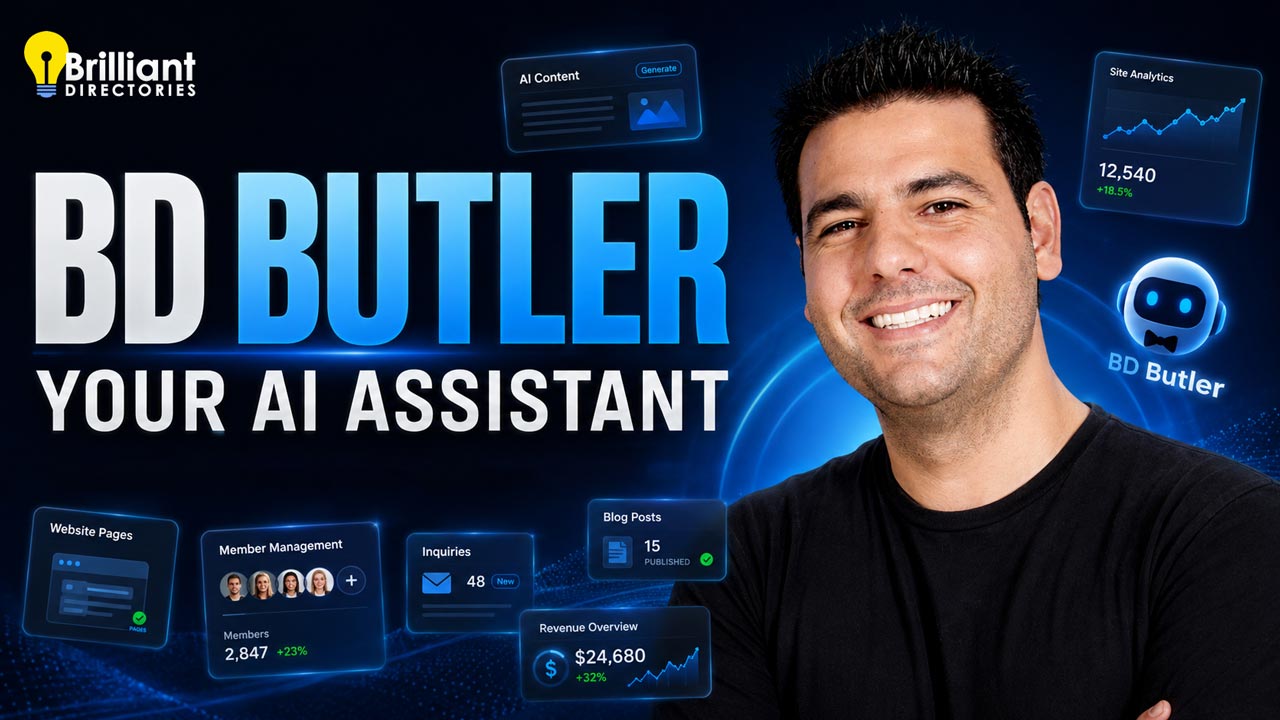
BD Butler is the AI assistant built right into your Brilliant Directories admin — and over the last few months it's quietly grown from a handy page editor into a full website co-pilot. This video walks through five practical ways it can help you build, manage, and grow your directory or membership site — no third-party apps, no API keys, no code required.
The big shift: BD Butler is now wired to the same technology as the Brilliant Directories MCP, the connection that lets AI tools like Claude, Codex, Cursor, Windsurf, and n8n perform over 170 different actions on your site. Instead of connecting an outside tool to unlock that power, you now get most of it natively — from a button that's always within reach in your admin.
From Page Editor to Website Co-Pilot
BD Butler started life as an AI coding assistant for building and editing web pages and email templates. It can still do all of that — create pages, edit specific elements, spin up hero sections, refresh SEO content, and design new layouts — but it now reaches much further. It has visibility into member management, form submissions, lead tracking, and revenue, which means it can do more than make things: it can tell you what's working and what to do next.
The team's stated goal is to bake as much functionality as possible directly into BD Butler so you rarely need to leave your admin. Here are the five ways that pays off today.
The 5 Ways BD Butler Can Help You Grow
1. Build and Improve Web Pages
This is BD Butler's home turf. Ask it to create a new page, edit an existing one, or restyle a section, and it handles the HTML, CSS, and JavaScript for you. You can add a hero section with a background image and a call to action (like a link to your join page), pull images from the built-in stock photo library, and update page settings — all conversationally. It even handles money-page details, like turning off banner ads on a landing page where conversions are the only goal. Most of these edits finish in about 30 to 90 seconds, and you can iterate prompt by prompt until it's right.
2. Strengthen Your SEO
BD Butler can update the SEO pieces that actually move rankings — page titles, meta descriptions, and other on-page settings — and rewrite content to target the search terms you care about. Because it works as a conversation, you can tell it "make this page rank better for X," review the result, and refine. It's the kind of steady on-page tuning that usually gets skipped, now handled in a few sentences. For a deeper automated approach, see AI SEO on Autopilot.
3. Create Fresh Content — Posts, Events, and Jobs
BD Butler can create brand-new posts on your site: blog articles, event posts, and job listings, complete with images and internal linking. This is the same skill-driven content engine covered in Create SEO Content Automatically with Claude Skills — now available from inside your admin. It's the fastest way to fill thin categories and quiet event or job sections with content that genuinely fits your niche.
4. Manage Members, Reviews, and Leads
Think of BD Butler as a virtual assistant for your member database. It can list members by filter, pull a specific record, and create, update, or delete members, plus manage reviews and leads. More powerfully, it answers real questions about your data:
Find missing data — which members have no profile photo, company, or website URL, so you can nudge them to complete their listing.
Ask compound questions — like "which members have a phone number but haven't paid yet?" — to generate a ready-made call list for upgrade offers.
Prioritize outreach — surface the people worth a personal welcome call, a touch most sites never make.
That last point is a real growth lever: calling new members to welcome them and learn why they joined makes them feel valued, which drives retention and word-of-mouth — especially for solo operators and newer sites.
5. Surface Business Insights That Drive Decisions
BD Butler reads your site's numbers and hands you the story behind them. In the demo it surfaced things like:
Which categories have the most members and revenue — e.g., a "decorative painting" category that earned $9,400 over its lifetime.
Your top 10 paying members and who has spent the most.
Revenue trends and projections — next-quarter forecasts and year-over-year comparisons.
Churn and recurring revenue — annual (ARR) and monthly (MRR) figures, plus churn for any date range (1.28% for one April–July window in the demo).
Form and lead insights — recent inquiries by form or source page, and whether submissions are mostly spam (with one-click options to restore the recommended block list and cut spam).
Instead of digging through reports, you just ask — and get answers you can act on.
Who This Is For
Owners who wear every hat and want a co-pilot to handle the admin work so they can focus on growth.
Solo entrepreneurs and newer sites that benefit most from personal member outreach and quick, data-driven decisions.
Anyone who skipped the MCP or a third-party AI tool because connecting it felt like too much — BD Butler needs none of that setup.
Data-curious operators who want revenue, churn, and category insights without building a single report.
Better Prompts = Better Results
BD Butler is powerful, but the quality of what you get back tracks the quality of what you ask. A few habits that help:
Be specific about the goal — "make this a conversion-focused landing page and hide the ads" beats "improve this page."
Iterate in the conversation — review the result, then refine with a follow-up prompt rather than starting over.
Ask compound questions — combine filters ("phone number but no payment") to get lists you can actually use.
Review before you publish — especially for member changes and new content, check the output first.
Real operators are already leaning on this. One member, Mike, connected the MCP to his BD site with OpenAI Codex to finish his live music guide far faster — the same kind of time savings BD Butler now brings inside your admin.
Even More to Come
BD Butler is evolving quickly. On the roadmap: deeper Claude Skills integration, scheduled routines that run content on autopilot, and potentially live front-end editing so you can make changes directly on your public site. The north star is to do more natively — imagine asking BD Butler to build a game widget, drop it on a page, and write an email inviting members to play it, all in one shot. If you want to compare the outside-the-admin options in the meantime, the Claude & Cursor setup guide and the full MCP overview are good next reads.
Find the BD Butler button in your admin (it's replacing Quick Create in more places).
Start with a small task — improve a page's SEO, or ask for your top paying members.
Try a compound member question to build an outreach or upgrade call list.
Iterate with follow-up prompts until the result is exactly what you want.
Watch the Replay — Then Try It Yourself
The full video sits at the top of this article, with chapter timestamps that jump you straight to each part — from BD Butler as your co-pilot, to the five ways it helps, to better-prompt tips and what's coming next. It's a segment from Webinar Wednesday 226.
Ready to put BD Butler to work on your own directory? Start a free trial, view pricing, or request a demo. Have questions? Contact our team, or browse more tutorials on the Brilliant Directories blog.
AI-Generated Transcript – Please excuse any inaccuracies
BD Butler is an AI assistant built into the Brilliant Directories backend admin area, and it has received several updates and releases over the last few months, including those related to Claude (language model) Code and Codeex (00:00:00).
The Brilliant Directories blog has covered topics such as connecting a Brilliant Directory site to tools like Claude, and using skills to create blog posts, event posts, and job posts, with many related videos available for viewing (00:00:22).
The MCP, which stands for a connection that allows the AI to connect to a Brilliant Directory site, enables users to vibe code with it from various tools, including Claude, Codeex, Cursor, Wind Surf, and Naden, and has the capability to perform over 170 different actions for a site (00:00:41).
BD Butler has evolved from being able to perform basic tasks, such as making a web page, to being able to effectively do almost everything that the MCP and the BD API can do, putting a lot of power in the user's hands (00:01:19).
The AI can be used to perform various tasks, including lookups and providing insights, and it can be used to help run and manage a membership site, making it like having a virtual assistant (00:01:49).
BD Butler has evolved significantly since its initial release, prior to the introduction of MCP functionality, and now offers a wide range of features that make it an essential tool for managing and growing a membership website (00:02:10).
The goal of the BD Butler team is to incorporate as much functionality as possible into the tool, eliminating the need to rely on third-party AI apps and tools, and they have made great progress in achieving this goal (00:02:45).
BD Butler started as an AI coding assistant for editing and creating web pages and email templates, but it has now become a comprehensive website co-pilot that can be used to build new and improved things throughout a website (00:03:18).
With BD Butler, users can create, edit, and improve web pages, edit specific elements, create hero sections, incorporate and update SEO content, create new layouts for web pages and email templates, and manage different elements of their website (00:03:41).
BD Butler has access to a wide range of information on a website, including member management, form submissions, and lead tracking, which enables it to provide users with valuable insights and actionable next steps to improve their website and accelerate growth (00:04:01).
The insights provided by BD Butler include revenue trends, churn rates, future projections, and comparisons, giving users a comprehensive understanding of their business data and helping them make informed decisions to drive growth (00:04:22).
BD Butler AI can be used in various ways to help grow a membership website, including creating new and improving existing web pages, providing information about members and website revenue, and creating brand new posts on the website (00:04:47).
The AI can perform a range of actions, such as listing members based on filters, getting a specific record, creating, updating, or deleting members, and managing member reviews and leads (00:06:00).
BD Butler can also provide valuable insights, such as identifying which categories on the site have the most members and how much revenue has been generated from those members in those categories (00:06:22).
The available resources and operations that BD Butler can perform are listed, including creating posts, looking up categories, and managing members and reviews (00:06:33).
While BD Butler has over 170 different functions, it is still being developed to bring it more up to speed with native AI tools, such as reaching web pages, and users can chat with the AI about these functions (00:07:08).
The goal is to incorporate expanded functionality from the MCP into BD Butler, allowing users to perform tasks directly from their website's admin area and save time, which can then be focused on growing the business rather than just working on it (00:07:44).
A user, Mike, has started using Codeex, a tool from Open AI Chat GPT, to speed up his content creation, and after connecting the MCP to his BD site with Codeex, he is now able to complete his live music guide much quicker, saving him a huge amount of time (00:07:31).
With the integration of the MCP into BD Butler, users can now ask BD Butler a variety of new questions that were not available before, giving them more power and control, as demonstrated by the list shown and the examples that will be provided during the webinar (00:08:09).
BD Butler is constantly evolving, with new features and integrations being added, such as utilizing Claude (language model) skills, scheduling routines, and potentially integrating Beyb Butler into the front end of the site for live front-end editing, all aimed at reducing reliance on third-party AI tools (00:08:22).
The goal of BD Butler is to include as much functionality as possible natively, allowing users to perform tasks such as creating a new game widget, putting it on a web page, and creating an email inviting users to play the game, all in one shot (00:09:19).
BD Butler can be used for real-world tasks, and its capabilities are being explored by users who are just getting accustomed to it, with examples including creating an about us page, updating SEO meta tags, and adding stock photos (00:10:38).
The web page builder in BD Butler has been updated to allow for more advanced tasks, such as updating SEO meta tags, including page title, description, and settings, and adding HTML, CSS, and JavaScript code, all of which can be viewed and expanded in the preview (00:11:04).
The completion time for tasks in BD Butler has improved, with most tasks completing in about 30 to 90 seconds, and the AI is capable of performing a wide range of tasks, from simple to complex, making it a powerful tool for users (00:11:28).
BD Butler AI can be used to make changes to a webpage, such as turning off ads, which can be useful for creating a money page or landing page where conversions are the goal, and it has access to display settings, including the ability to hide banner ads (00:12:29).
The AI can also be used to improve the SEO of a webpage to rank better for specific search terms, and it can iterate with the user, allowing for multiple prompts and changes to be made in a conversation (00:13:23).
BD Butler AI has the ability to add a hero section to a webpage, including a background image and a call to action, such as a link to a join page for signups, and it can access a stock photo library to find suitable images (00:14:17).
The AI can make changes to a webpage based on user input, such as adding a hero image and adjusting settings, and it can be used to create web pages, including those with specific themes, such as a mural artist directory (00:15:08).
BD Butler AI is not limited to making changes to the current webpage, but can also be used to gain insights and make changes to other parts of a website, such as the search members page, and it can be accessed through a button that is omnipresent on the site (00:16:01).
The site has 35 total categories, with 25 categories having the most members, and the categories can be analyzed to determine which ones have made the most revenue and have the most members, with decorative painting being an example of a category that has made $9,400 over its lifetime (00:16:16).
The top 10 paying members can be identified, and revenue can be projected for the next quarter, with the option to compare year-to-date revenue to the previous year, and the site can provide information on members who have spent the most on the site (00:17:20).
The churn rate can be calculated, and the most recent payments can be listed, with the site providing information on annual recurring revenue and monthly revenue, and the churn rate for a specific date range can be determined, such as 1.28% for April 1st to July 1st (00:18:06).
The forms manager can be used to collect data from newsletter subscribers or contact form submissions, and BD Butler can be asked to show the most recent form inquiries from a specific form or source page, such as the contact form (00:19:03).
The most recent form inquiries can be analyzed to gain insights into the number of people who have filled out a certain form during a specific time frame, and the site can provide information on whether the form submissions are mostly spam or not, with the option to enable spam form protection (00:19:36).
To minimize spam submissions on a site, it is possible to restore the recommended block list, which prevents known spam keywords from being submitted, blocks spoof characters, and blocks disposable email addresses, thereby reducing spam (00:20:43).
The site's general settings and integrations can be utilized to enable these features, which are built-in and available for everyone, and can be used to reduce spam coming through forms (00:20:51).
BD Butler can be used to find missing data, such as identifying members who do not have a profile photo, company, or website URL associated with their listing, by asking specific questions based on the state of the member database (00:21:28).
It is also possible to ask BD Butler compound questions, such as which members have a phone number but have not made any payments yet, and generate a call list of potential people to contact and offer upgrades or establish relationships (00:22:47).
The results from BD Butler can provide deep insights about the member database, including relevant information such as total numbers of members who meet specific criteria, and can be used to inform decisions about contacting members and offering them higher tiered membership plans (00:23:39).
Extracting more data from new members before matching them with existing members or calling them to welcome, understand their motivations for joining, and potentially offering special deals for paid plans can lead to good results and word of mouth advertising because it makes members feel valued (00:24:37).
Calling new members to welcome them and understand their expectations is a personal touch that can set a website apart, as most websites do not make personal contact with their members, creating a more positive experience (00:24:42).
This personal approach is particularly beneficial for solo entrepreneurs or new websites, as it allows them to stay in touch with their members and build a stronger connection with them (00:24:58).
By taking the time to talk to new members, website owners can gain a better understanding of what members hope to get out of their membership, which can help inform future decisions and improvements (00:24:47).
The positive experience created by personal contact can lead to word of mouth advertising, as members who feel valued are more likely to share their positive experiences with others (00:24:52).
Try the Free Demo
See How It All Works — Instant Access to All Features
The Elevator Pitch
Why Choose Brilliant Directories
We'll make it short and sweet:
We Know Membership Sites — We've taken care of all the heavy lifting so you can focus on growing your community.
Access to Expert Support — Our dedicated team works 'round the clock to quickly resolve any technical issues.
Trusted by 50,000+ Websites — With 15+ years of experience, we understand the unique needs of online communities.
Launch your idea today
Start Free Demo Now
100% full access — no credit card
Set up plans & connect payments
Tour features that manage your community
See how members self-manage accounts
Customize the demo to match your brand
Safe & Secure. Try it free for as long as you like.
What customers say
Trusted by teams building real businesses
It's easy to get a directory business up and running
If you're looking for an out of the box directory business solution, then Brilliant Directories is for you. Once you've gone through the main settings which should take you a day you'd be ready to showcase your site. There are tons of video tutorials on YouTube and inside the customer dashboard. There are so many ways you can customize your site and it's very SEO friendly. Brilliant Directories is built on Bootstrap which makes it easy to customize however you want. Looks very professional!
Making a living off my Brilliant Directories websites
I have been working with different directory web platforms like Wordpress, 6Cube, SEOSamba and others for over 20 years. About three years ago I found out about Brilliant Directories, since then I have built 10 directories. First, the websites and pages are Google friendly right out of the box, this is one of the most important parts of a good platform to me. Second, the software is very easy to use and there is lots of help to build your site... I no longer have a regular job because I am making a living off of my 10 Brilliant Directories.
I chose Brilliant Directories because it had everything I needed when I was looking to create my membership website. The support and community inside Brilliant Directories is a great help, and you have access to literally thousands of other BD website owners who all come together to share their experiences, tips and help. If you are looking to create a directory, I can not recommend Brilliant Directories enough. No matter what you are wanting to do, there is a theme suitable for your needs!
Brilliant Directories is the one you should choose
All the people in the support staff have been amazing. In less than 30 days I've been able to put together a membership website that can generate money and I am greatly appreciative of everything they do and all the knowledge they have. Thank you for all the webinar trainings. You guys don't need to do that kind of stuff - but that's what I love most. If you haven't picked a membership program yet, Brilliant Directories is the one you should choose.
I went into my venture alone, but was pleasantly surprised at the community and the Brilliant Directories support team. The staff is super responsive and it truly feels like they are rooting for us. On top of this, there are great discussions and support within the Facebook group, where I manage to learn something new from other membership website owners every day. It's an amazing and continuously evolving product and I'm happy to be a part of it!
The sky is the limit with what you can do on the Brilliant Directories platform. I love the fact that everything can be customised and there are constant improvements and additions. The support, advice and guidance that one receives through the BD Facebook group, Webinars and Support team is excellent and I would highly recommend it to anyone wanting a directory type website.
We love BD. After using other website platforms for our business, BD has helped to grow our company in ways we couldn't have imagined. If you are serious about starting an online directory we highly recommend that you use BD. They have more settings and built-in tools than we initially thought - which helps tremendously. It's so easy that once you start your first project, you want to launch even more website ideas on the platform... You won't be sorry!
After many long days testing different platforms, it was a relief to find Brilliant Directories. Not only does the platform have the features I required, it was affordable and the support is second to none. I managed to achieve things with BD that I never imagined I could do by myself... Money which would have been spent on developers has gone into marketing my site. BD has a very strategic approach in the growth of the platform and it is clear to see customers are at the forefront of that approach.
One of the best business decisions we've ever made
We switched to BD about a year ago, and it's one of the best business decisions we ever made. Our website now is user-friendly, and our members can easily update their profiles and add content on their own. But what I love most about BD is that they are constantly adding new features, and they seem to really care about their clients... We struggled through various platforms, from WordPress to very expensive custom-built websites. None came close to being as functional or reliable as our BD website.
After working with the Brilliant Directories team for the past 5 years, I've enjoyed building our websites and learning new ways to improve. Having access to a responsive support team has been very important for our success. Thanks to everyone at Brilliant Directories for guidance, constant improvements, Facebook groups and interactive webinars! We've already built one directory (www.NJwedding.com), launched another (www.NJparenting.com) and have more ideas to implement very soon.
It's easy to get a directory business up and running
If you're looking for an out of the box directory business solution, then Brilliant Directories is for you. Once you've gone through the main settings which should take you a day you'd be ready to showcase your site. There are tons of video tutorials on YouTube and inside the customer dashboard. There are so many ways you can customize your site and it's very SEO friendly. Brilliant Directories is built on Bootstrap which makes it easy to customize however you want. Looks very professional!
Making a living off my Brilliant Directories websites
I have been working with different directory web platforms like Wordpress, 6Cube, SEOSamba and others for over 20 years. About three years ago I found out about Brilliant Directories, since then I have built 10 directories. First, the websites and pages are Google friendly right out of the box, this is one of the most important parts of a good platform to me. Second, the software is very easy to use and there is lots of help to build your site... I no longer have a regular job because I am making a living off of my 10 Brilliant Directories.
To provide the best experiences, we use technologies like cookies to store and/or access device information. Consenting to these technologies will allow us to process data such as browsing behavior or unique IDs on this site. Not consenting or withdrawing consent, may adversely affect certain features and functions.
Functional
Always active
The technical storage or access is strictly necessary for the legitimate purpose of enabling the use of a specific service explicitly requested by the subscriber or user, or for the sole purpose of carrying out the transmission of a communication over an electronic communications network.
Preferences
The technical storage or access is necessary for the legitimate purpose of storing preferences that are not requested by the subscriber or user.
Statistics
The technical storage or access that is used exclusively for statistical purposes.The technical storage or access that is used exclusively for anonymous statistical purposes. Without a subpoena, voluntary compliance on the part of your Internet Service Provider, or additional records from a third party, information stored or retrieved for this purpose alone cannot usually be used to identify you.
Marketing
The technical storage or access is required to create user profiles to send advertising, or to track the user on a website or across several websites for similar marketing purposes.
To provide the best experiences, we use technologies like cookies to store and/or access device information. Consenting to these technologies will allow us to process data such as browsing behavior or unique IDs on this site. Not consenting or withdrawing consent, may adversely affect certain features and functions.
Functional
Always active
The technical storage or access is strictly necessary for the legitimate purpose of enabling the use of a specific service explicitly requested by the subscriber or user, or for the sole purpose of carrying out the transmission of a communication over an electronic communications network.
Preferences
The technical storage or access is necessary for the legitimate purpose of storing preferences that are not requested by the subscriber or user.
Statistics
The technical storage or access that is used exclusively for statistical purposes.The technical storage or access that is used exclusively for anonymous statistical purposes. Without a subpoena, voluntary compliance on the part of your Internet Service Provider, or additional records from a third party, information stored or retrieved for this purpose alone cannot usually be used to identify you.
Marketing
The technical storage or access is required to create user profiles to send advertising, or to track the user on a website or across several websites for similar marketing purposes.

 AI-Generated Transcript – Please excuse any inaccuracies










