Register for the Next Webinar (We'll notify you via email)
This Tip of the Week covers topics including:
- 00:00 - BD MCP is now live
- 02:17 - Connecting BD to AI tools like Cursor and Claude
- 06:15 - Why Claude Code is the easiest setup right now
- 08:24 - What the 170+ MCP tools can do
- 09:23 - Using AI to add categories, listings, and site content
- 13:16 - Improving directory SEO with AI
- 22:24 - Reviewing the live site updates
- 23:21 - What this means for the future of BD Butler
BD MCP Is Live: Plug Claude Code Directly Into Your Directory
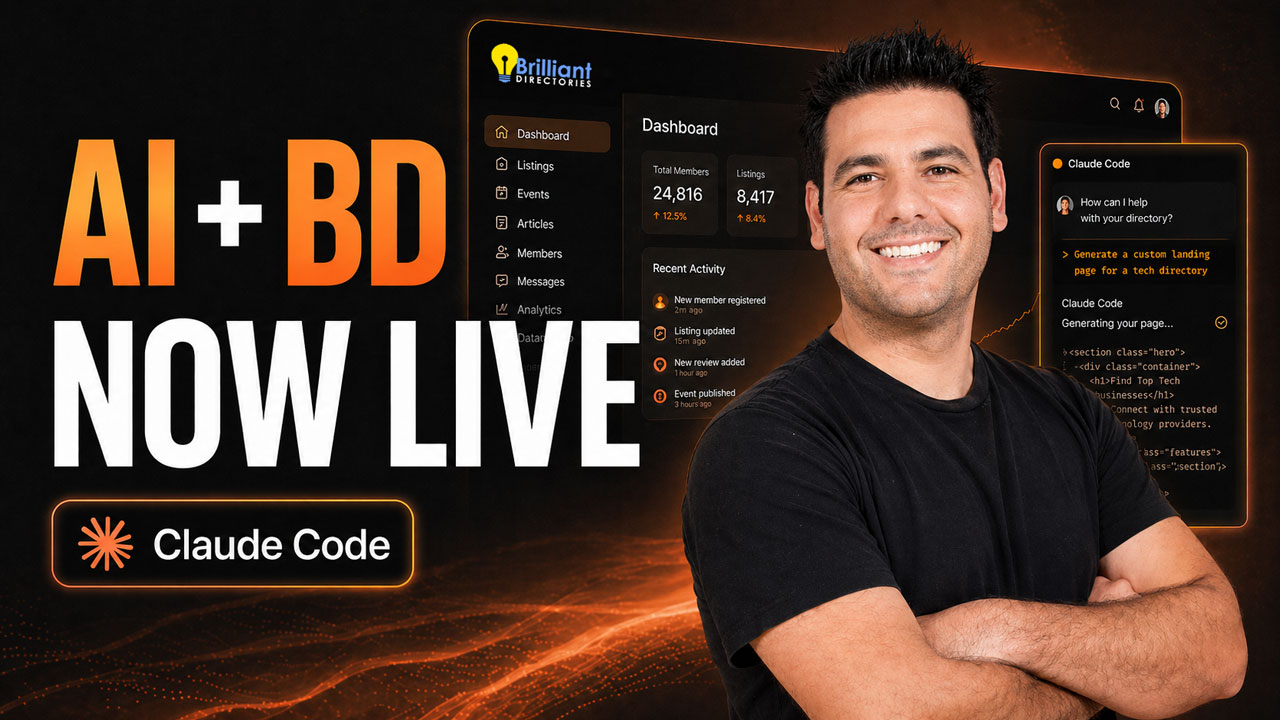
This Tip of the Week marks a milestone for the platform: the Brilliant Directories MCP server is now live, giving you a direct, two-way connection between AI assistants like Claude Code and Cursor and the inner workings of your directory or membership site. With your BD API key in place, the AI unlocks 170+ actions — from creating categories and members to redesigning pages, enriching content, and bulk-optimizing SEO — all running against your live site through a single, standardized protocol.
Think of it as the evolution of BD Butler: instead of generating content in one place and pasting it into another, the AI now reads, writes, and updates your site directly. Below is the who, what, where, why, and how — plus the practical benefits and use cases demonstrated in the video.
What Is the BD MCP — in Plain Language?
MCP stands for Model Context Protocol, an open standard for connecting AI models to external systems. The BD MCP server is the official Brilliant Directories implementation of that standard. Once you install it, your AI tool of choice can:
- Read live data from your BD site (members, categories, pages, content, listings).
- Take action on that data through 170+ predefined tools (create, update, delete, search, audit).
- Combine tools intelligently — for example, “build a category, populate it with five real listings sourced from the web, then create an SEO-optimized landing page above the search results.”
It’s also been accepted into the official Cursor directory, which means installing BD inside Cursor is now a one-screen flow: paste your API key, paste your site URL, give it a nickname, enter your site ID, and hit install. For Claude Desktop and Claude Code, the install runs through a config file — the GitHub repo serves as the single source of truth and walks you through every supported AI client.
Full setup walkthrough lives here: Connect Claude & Cursor to Your Membership or Directory Site with BD MCP.
Why Claude Code Is the Easiest Entry Point Right Now
You can connect the BD MCP to several AI tools, but the video makes a clear recommendation: start with Claude Code. Two reasons:
- Tool-count compatibility. The BD MCP exposes 170+ tools. OpenAI’s current MCP limit caps at roughly 30 tools per server, so a full BD connection requires workarounds. Anthropic’s Claude has no such cap — every BD tool is available out of the box.
- Lowest setup friction. Claude Code’s install path is the most beginner-friendly today. Once past the initial config, the experience is similar to chatting with ChatGPT — except your assistant can actually do things on your site.
Cursor (especially the Claude-connected version) and Claude Desktop are also fully supported. OpenAI Codex works with caveats. The GitHub repo is the canonical source if you’re weighing options.
Who This Is For
- BD site owners who want to ship updates faster than a developer or freelancer can turn them around.
- Solopreneurs and small teams running niche directories who need to compete on content depth without hiring writers.
- SEO-focused operators sitting on hundreds of thin search-results pages that need real content, internal links, and structure.
- Multi-site owners — the MCP supports connecting two BD sites at once, enabling cross-site comparisons, content transfers, and synchronized updates.
- Stack builders who already use content request workflows, Zapier, HubSpot, HighLevel, or N8N and want their AI agent in the middle of it all.
What the 170+ MCP Tools Can Actually Do
The action surface is broad. A handful of representative capabilities demonstrated in the video:
- Member operations. Get user info, create users, update users, count members, audit listings — all programmatically. Pair this with the case study walkthrough in Use Claude Code to Setup Online Business Directory: 90-Day Growth Plan Completed in 1 Day for what this looks like at scale.
- Category management. Create top-level categories, generate subcategories in bulk (e.g. five popular subcategories under “Personal Trainers”), restructure existing taxonomies.
- Listing population. Ask the AI to source real businesses for a category from the web and create members for each — with logos, profile photos, and basic details.
- Page creation. Build polished, storytelling-style About pages with Figma-quality layouts; create resource hubs, calculators, and landing pages.
- SEO uplift. Add hero images, hero sections, badges, cards, internal links, inline SVG diagrams and charts to thin search-results pages so they finally have something for Google — and AI search engines — to index.
- Bulk content audits. Scan members, validate active websites, and reorganize listings into proper categories at speeds no human team could match.
How AI Fixes the “Thin Search Results” Problem
Most directory operators have the same SEO weakness: search-results pages with one or two listings and almost no surrounding content. Google reads those pages as thin — not worth ranking. The MCP lets you fix the problem at scale:
- Identify search-results pages with poor content depth.
- Have Claude generate a hero section, intro paragraphs, internal links, and visual elements (cards, badges, SVG charts) that contextualize the category or location.
- Repeat across dozens or hundreds of pages on a schedule — Claude works while you sleep.
- Review the output, refine the prompt, and rerun. The workflow is iterative, and the more you tune it, the better the output gets.
For a deeper look at why content-driven structure matters, see Content-Driven vs Community-Driven Membership Sites. And don’t skip the basics — SSL trust signals still matter alongside any AI-generated content.
Where the BD MCP Fits in Your Broader Tech Stack
The MCP is not a closed system. Because it’s a standardized protocol, it composes naturally with the rest of your tools. Examples:
- Zapier for webhook-based automation between BD and other SaaS apps.
- HubSpot or HighLevel for CRM and marketing handoff.
- N8N for self-hosted workflow orchestration.
- Multiple BD sites connected through one Claude session for cross-site management — a major win if you operate a portfolio.
Benefits at a Glance
- Speed. Tasks that took a developer days now take a paragraph of plain English.
- Lower cost. Most updates no longer need to go through outside engineering. (Cost comparison: Platform vs Custom Build.)
- SEO that compounds. Bulk content uplift across thin pages, internal linking, and schema-friendly output.
- Live execution, not drafts. Changes go directly to your site — no copy-paste loop.
- Future-proof. MCP is an open standard, so as new AI tools adopt it, your BD connection works with them too.
- Multi-site leverage. Manage and synchronize portfolios of directory or membership sites from one chat.
How to Set Up the BD MCP — the Short Version
- Generate or locate your BD API key in your admin panel and grab your site ID.
- Pick your AI tool. Claude Code is the recommended starting point. Cursor and Claude Desktop are both fully supported.
- Follow the official setup guide: Connect Claude & Cursor to Your Membership or Directory Site with BD MCP. The GitHub repo linked there is the canonical source of truth.
- Test the connection with a low-risk prompt — e.g. “How many members are on my site right now?”
- Move on to small, scoped changes (one category, one page, one member at a time) before letting it loose on bulk operations.
Important: Use It Carefully
The MCP can perform destructive actions — deleting members, removing categories, overwriting page content. Treat it like a developer with full admin rights, because that’s effectively what it is. Best practices:
- Install the MCP on a personal computer, not a shared or public machine. The connection lives where it’s installed.
- Never paste your API key into public chats, screenshots, or shared documents.
- Scope prompts small. “Update this one category description” before “Restructure my entire taxonomy.”
- Use BD’s activity tracker and revision history to audit AI changes after the fact.
- Iterate the prompt. Early outputs may save styles in the wrong place or include broken images. Tell Claude what to fix — the workflow improves with feedback.
What This Means for the Future of BD Butler
The BD MCP is the foundation for the next generation of BD Butler AI. The vision: AI agents that perpetuate site growth on their own — auditing thin pages, enriching listings, generating fresh content, and maintaining SEO — while you sleep. What you’re seeing in this video is the first step. The capability surface will keep expanding.
Next Steps
The full video sits at the top of this article — every chapter timestamp jumps you straight to the section you care about. When you’re ready to try the MCP on your own site:
- Read the BD MCP setup guide.
- See it applied to a real 90-day growth plan.
- Start a free trial · View pricing · Request a demo.
- Questions? Contact our team or browse the Brilliant Directories blog for more strategy and tutorials.
 AI-Generated Transcript – Please excuse any inaccuracies
Introduction to BD Butler and MCP Server
- The BD team has released a huge update, which is an evolution of the BD Butler and will help make it better, allowing users to give AI instructions on how to amend and modify their site using an MCP server (00:00:07).
- The MCP server enables users to unlock over 170 different actions on their site by providing their BD API key, and some of these actions will be covered in the video (00:01:07).
- The AI can perform actions such as getting the member count, updating a member, and more, as demonstrated using the Claude (language model) desktop app, which shows the AI searching for tools and providing the member count (00:01:16).
- Brilliant Directories has been accepted into the Cursor (code editor) directory, making it an official plugin and allowing for easier implementation, and users can find Brilliant Directories in the Cursor directory and add it to their platform (00:02:17).
Connecting Brilliant Directories to Cursor
- To connect Brilliant Directories to Cursor, users need to paste their API key and website URL, give it a nickname, and enter their Brilliant Directory site ID, and then they can hit install and connect their BD site to Cursor (00:02:50).
- There are multiple ways to implement the connection, including adding an MCP server in Cursor settings, and users can even connect two Brilliant Directories APIs to have the AI perform different updates on multiple sites (00:03:26).
- The connection allows for various actions, including transferring data between sites and making comparisons between them, and while some of the setup may require technical nuance, the goal is to make it as accessible as possible to beginners (00:03:54).
Implementation and Setup Details
- The initial setup stage of connecting to Claude (language model) can be challenging, but once past this stage, it can do powerful things, such as creating categories and subcategories on a site, which will be covered in more detail later (00:04:13).
- To connect to Claude, one can go to file settings, then developer, and edit config, which will bring up a file that can be edited with Notepad or a similar program to add the MCP server (00:04:47).
- A GitHub repository is available, which serves as the source of truth and provides a table of contents with instructions on how to connect to different AI tools, including Claude Desktop and Cursor (code editor) (00:05:43).
- The MCP tool created has over 170 actions, but OpenAI only allows MCPs with 30 or less actions, and while there are workarounds, using Claude Code is considered the easiest option and is comparable to Chat GPT (00:06:15).
Using Claude with BD and MCP
- To set up Claude (language model), one needs to add the MCP server to the config file and never expose their API key, and once set up, Claude can be used to create categories and subcategories on a site, such as creating a top-level category called "personal trainers" with five sublevel categories (00:07:01).
- Claude can be used to manipulate the category structure on a site, and it can also be used to create new categories and subcategories, such as creating five popular subcategories under the "personal trainers" category (00:07:57).
- The MCP tool has a wide range of applications and can be used with other tools, such as Zapier, to create workflows that talk to other applications, and it has a large number of actions that can be used to automate tasks (00:06:04).
MCP Tool Overview and Capabilities
- The system is an extrapolation of the GitHub repository, and users do not need to deal with the code, only a snippet of install stuff, with glamma.ai listed and a full quality score, which is the official MCP, having a section for different tools, with over 170 tools (00:08:24).
- These tools provide actions and abilities for the AI to perform tasks on the site, such as getting user information, creating a user, and updating a user, with the API able to do these tasks remotely, and the AI can mix these actions together to figure out what is being asked and do cool stuff (00:08:47).
AI-Driven Site Customization and Content Creation
- The AI can add top-level categories and subcategories, such as weight loss, training, and others, and can search the web to find real personal trainers for each subcategory, with the option to include profile photos or logos for their listings (00:09:23).
- The AI can populate the site with information from the web, including listings, articles, and comparisons, and has tools and functionality that other AI systems, like BD Butler, do not have, making it super exciting (00:10:04).
- The test site has categories created, including personal trainers and subcategories, and the AI can create an about us page, storytelling style, with a Figma-style design and lots of good images, using Cursor (code editor) and Claude (language model) (00:10:45).
- Claude can create a polished storytelling about page for the personal trainer directory, and can also connect to other AI agents, such as cursor, which has a regular and Claude-connected version, with the Claude-connected version being preferred (00:11:51).
- The AI can create member profiles, and while it was unsuccessful in getting some profile images, it can still work on the site, and users can explore the member images and see if they are pending to be fetched (00:12:30).
- The system has the ability to perform various tasks, such as creating member profiles, and can be used to make the site more interactive and user-friendly, with the AI agents working together to achieve the desired outcomes (00:13:02).
SEO Optimization with AI
- The process involves optimizing five subcategory search result pages with good SEO content, internal linking, and Google-friendly content, and using a hero image with the content above the search results, to bolster the SEO of these pages (00:13:16).
- The system, referred to as Claude (language model), is used to optimize the pages in bulk, and the outcome is observed to see if it works successfully, with the goal of learning from the process (00:13:38).
- Claude adds a hero image, nice hero section, and other elements such as cards and badges to the pages, but also makes some mistakes, such as adding a broken image and saving styles inside the content instead of in the custom CSS section (00:14:11).
- The technical issues with Claude's output, such as saving styles inside the content, are identified and will be fixed, as they are system directives that need to be corrected (00:15:06).
- The process of using Claude to optimize the pages is iterative, and the more it is used, the more it will be dialed in to produce the desired outputs, with the goal of creating static pages with good SEO content (00:16:09).
- The optimized pages are reviewed to see if Claude has successfully created static pages with good content, and while there are some issues, such as the content not being at the top of the page, the overall outcome is positive, with nice hero sections and good content being added (00:16:45).
- The importance of adding useful content to search results pages is highlighted, as Google may see pages with only one listing as having "dry" or "thin" content, and adding content that talks about the category or location can give an edge over just having a search results page (00:17:30).
- The issue with search results pages having thin content is addressed by using AI to bolster and add content to these pages, including internal links, diagrams, charts, and images, to improve SEO (00:18:14).
- The AI can be instructed to search for search results pages with poor SEO content and improve them over time or on a scheduled basis, allowing for more comprehensive and useful information on the site (00:18:22).
- The process involves telling the AI to redo the content properly, including adding inline SVG diagrams and charts, and providing deeper, more useful content that meets Google's standards for quality information (00:20:27).
Integration with AI Tools and Platforms
- The integration of Brilliant Directories (BD) with AI and Claude (language model) Code is now live, enabling users to connect and utilize various tools and platforms, such as High Level, HubSpot, and N8N, to manage their business and tech stack (00:21:34).
- The MCP (Meta Llama) has a menu of over 170 tools and actions that the AI can perform, but it is not currently compatible with OpenAI due to limitations on the number of tools that can be used (00:21:17).
- Users are encouraged to share their experiences, ask questions, and provide feedback in the comments, including any issues they encounter while installing or using the MCP, and to explore the possibilities of integrating BD with other platforms and tools (00:20:50).
Demonstration and Results of AI Integration
- The process of using BD, AI, and CLAUDE CODE is demonstrated, starting with a side-by-side comparison and scrolling down to view changes, which included adding testimonials at the bottom of the page (00:22:24).
- The page is found to be well-decorated, with minimal changes made as instructed, and it is noted that the system can perform various tasks without needing to be told (00:22:30).
- An issue is encountered where the system appears to be stuck, but it is later determined that the pages are simply massive, and the system is working on tasks such as weight loss and strength with the full treatment (00:22:50).
- The system's ability to update the site is demonstrated, but it is also warned that it can perform destructive actions if not used carefully (00:23:08).
Iterative Use and Future Vision
- The importance of iterating with the system, known as BDB Butler, is emphasized, and it is noted that this can be done once it is connected to the site (00:23:21).
- The vision for the AI bots is to perpetuate site growth with content and enrich it, allowing it to work for the user while they sleep, with the current progress being seen as baby steps towards this goal (00:24:11).
- The use of external tools is discussed, and it is noted that while setting up the system may require intermediate skill levels, using it is similar to chatting with a friend about desired changes to the BD site (00:24:22).
Upcoming Webinar and Next Steps
- A webinar is mentioned, scheduled for Wednesday, where users can register at brilliantirectories.com/stream to learn more about the system and its capabilities (00:24:49).










