Register for the Next Webinar (We'll notify you via email)
- 00:00 - Introduction: Gerald Griffith & The Vending Club
- 04:39 - Why the vending industry needs a better directory
- 09:05 - Building a 90-day AI implementation plan
- 14:44 - Connecting Claude to Brilliant Directories with MCP
- 19:54 - Walking through The Vending Club site improvements
- 33:03 - Strategy, credibility, and building like a business owner
- 39:21 - Making live site updates with AI
- 49:02 - Q&A: Setup, tools, schema, and revisions
- 55:52 - Live demo: Creating pages and tools with AI
- 01:05:38 - Auditing and organizing member listings with AI
- 01:09:39 - Homepage redesign, SEO cleanup, and final takeaways
Webinar Sections
How Gerald Griffith Compressed 90 Days of Directory Work Into a Single Day
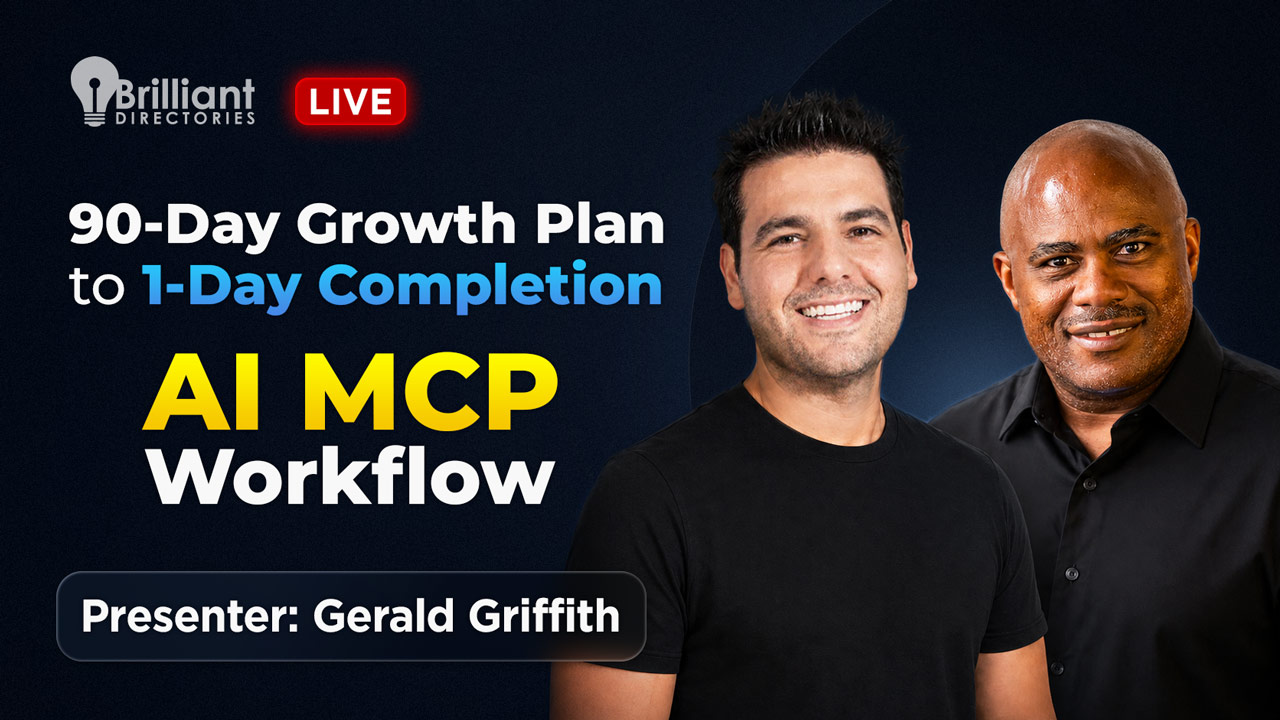
In this Webinar Wednesday session, special guest Gerald Griffith — founder of The Vending Club and a longtime tech and usability pro — walked through how he used Claude AI together with the Brilliant Directories MCP server to execute a full 90-day SEO and growth plan in roughly 24–48 hours of focused work. The outcome: a redesigned homepage, 20+ state-specific resource pages, a profitability calculator, a 100-term industry glossary, a complete member audit, and measurable early ranking gains against vending competitors that have been live for decades.
If you run a niche directory, association, or membership site, this article distills the exact playbook so you can repeat it on your own Brilliant Directories platform.
What Is the BD MCP — and Why Does It Change the Game?
The Model Context Protocol (MCP) is an open standard that lets AI assistants like Claude and Cursor connect directly to your Brilliant Directories back-end. Instead of copy-pasting code snippets into your admin, the AI reads your site's actual structure and writes changes through the API — pages, widgets, members, categories, schema, internal links, and more.
The result is a workflow that feels less like "using a tool" and more like working alongside a tireless assistant who already knows your platform. For step-by-step setup, see our companion guide: Connect Claude & Cursor to Your Membership or Directory Site with BD MCP.
Who This Workflow Is For
- Solopreneurs launching a niche directory who can't afford or wait on a developer team.
- Existing site owners sitting on a backlog of SEO, schema, and content tasks they've never had time to ship.
- Niche operators in underserved industries — vending, senior care, voice acting, skilled trades — where no centralized, neutral resource exists yet.
- Membership platforms ready to enrich member profiles, tighten categories, and turn thin search-results pages into authoritative resource hubs.
Why It Works: The Strategic Logic Behind a 90-Day Plan in 1 Day
The vending services market is roughly $41 billion, yet there's no neutral, well-organized hub where operators, location partners, and buyers can find information they trust. That's the textbook case for a directory: the rich is in the niche. A focused, credibility-first directory becomes a magnet for both human visitors and AI search engines — both of which reward centralized, well-linked, structured content.
AI didn't replace the strategy. It accelerated execution against a clear strategy. That distinction is the entire point of the webinar.
The 5-Step Playbook From the Webinar
1. Run an AI Site Audit
Gerald's first prompt to Claude was deliberately simple: "Perform a site audit on the site and evaluate it for SEO, content, and opportunities to improve." Claude returned a 35–50 page document covering technical SEO, content gaps, schema opportunities, and on-page weaknesses.
2. Generate a Competitive Analysis
Building on the audit, the next prompt asked Claude to map every major competitor in the vending niche, identify positioning gaps, and pinpoint where The Vending Club could own the conversation as a neutral hub — not "another frontend trying to sell you machines."
3. Build a 90-Day Implementation Plan
With the audit and competitive analysis in context, Claude produced a phased 90-day implementation plan: what to add, what to remove, what to fix, and how to position. This document is the single most important artifact in the entire workflow. It's the cookbook every later prompt references, so the AI never reinvents the wheel and never drifts off-strategy.
4. Connect the BD MCP Server
With the plan in hand, Gerald connected Claude to his BD site through the MCP. From that point, prompts like "create a state resource page for Texas with vending events, sales tax info, licensing requirements, and a matching hero image" became live, published pages — not drafts to paste in by hand.
5. Execute, Audit, Refine
Claude worked through the plan task by task: homepage redesign, 20 state pages, profitability calculator, contracts library, 100-term glossary, sticky scroll menus, internal linking, and a full member audit that consolidated 1,700+ messy operator listings into clean, validated categories.
Real Use Cases Demonstrated Live
- State resource pages. 20 unique state pages with local events, tax and licensing info, associations, and matching hero imagery — each genuinely different so Google never flags duplicate content.
- Custom calculators. A vending profitability calculator built as a multi-step wizard with optional email capture for lead generation.
- Glossaries and surveys. A 100-term industry glossary, plus a survey form designed to feed an annual industry white paper that earns partnership and PR opportunities.
- Member audits at scale. Claude scanned every member's external website, validated activity, redistributed members into correct categories, and flagged dead or off-topic listings for deletion. A 1,700-listing mess became a focused, trustworthy operator directory.
- Profile enrichment. Auto-generated "About Me" content for each member based on their own website — richer profiles, stronger SEO, no manual data entry.
- Hub pages for thin search results. Turning empty category pages into structured resource hubs that earn rankings instead of bouncing visitors. (See also: Content-Driven vs Community-Driven Sites.)
- Schema and technical SEO. Building on BD's default schema with custom markup tailored for AI search visibility — alongside SEO basics like SSL trust signals.
- Lead-magnet assets. Calculators, contract templates, and downloadable guides — gated behind email signup or offered free to attract authority links.
Benefits for Directory and Membership Site Owners
- Compressed timelines. A 90-day roadmap collapses into a few focused sessions, freeing you to spend time on strategy and partnerships instead of production work.
- Dramatically lower cost. No outside developer needed for the bulk of execution. For the broader cost picture, see Membership Directory Platform vs Custom Build: Cost vs Control.
- SEO that compounds. Centralized hubs, internal linking neural networks, and structured schema are exactly what Google and AI-driven search engines reward.
- Instant credibility. A polished, content-rich directory gives a young brand the authority it needs to land partnerships with established players, sponsors, and media.
- Reusable workflow. Every audit, plan, and prompt becomes an asset for the next sprint — or for spinning up a second site in a different niche.
Where, When, and How to Apply This Yourself
Where to Run the AI
The MCP must be installed on a personal computer — not a shared or public machine. Your home laptop or desktop is fine; just remember the connection lives where you installed it, so you'll set it up again on any second device.
When to Use Each Tool
Claude is currently the strongest pick for coding-style site changes. OpenAI's Codex and Cursor work too — the BD MCP supports all three. Pair the MCP with BD Butler AI for fast landing-page generation and ongoing content production.
How to Stay Safe While Making Live Changes
Tread carefully on sensitive pages. You can ask Claude to undo its last change, and Brilliant Directories' activity tracker and revision history give you a paper trail for most record types. When in doubt, scope each prompt small: one section, one widget, one category at a time. The smaller the scope, the easier the rollback.
Where Human Judgment Still Wins
The AI doesn't replace the operator's judgment. Niche selection, brand positioning, editorial standards, and visual taste still come from the human in the loop. AI accelerates execution; the owner decides what's worth executing. Pair the workflow with thoughtful UX — readable category counts, sticky navigation, a balance of visuals and content — and your platform reads like a true industry hub instead of a generic listing page.
How to Get Started on Your Own BD Site
- Read the setup guide: Connect Claude & Cursor to Your Membership or Directory Site with BD MCP.
- Install Claude (or Cursor / OpenAI Codex) on your personal computer.
- Ask the AI to run a site audit, then a competitive analysis, then produce a 90-day implementation plan. Save these as your reference documents.
- Connect the BD MCP and begin executing the plan one task at a time, verifying each change as it goes live.
- Layer in BD Butler AI for landing pages and ongoing content, and use content request forms to keep your members feeding the engine.
Watch the Replay — and Then Try It Yourself
The full webinar replay sits at the top of this article. Every chapter timestamp above jumps you straight to the relevant section — whether you want the strategy framing, the live MCP demo, the member-audit walkthrough, or the homepage redesign.
Ready to put this workflow on your own directory? Start a free trial, review pricing, or request a personalized demo. Questions? Contact our team and we'll point you to the right starting place. And if you want more sessions like this one, browse the full Brilliant Directories blog for strategy, tutorials, and replays.
 AI-Generated Transcript – Please excuse any inaccuracies
Introduction to the Webinar and Guest Speaker
- The webinar Wednesday impromptu edition features a special guest, Gerald Griffith from Atlanta, who is skilled in tech and computers, and has been working on his directory site, utilizing Claude (language model) code and AI, with a focus on how AI can benefit others (00:00:09).
- Gerald has a background in tech and has been involved in the field for most of his life, working on various projects, including help desk support, corporate levels, and usability testing on the front end of websites (00:02:32).
- He has experience with directories, including Brilliant Directories, and has worked on various projects, including a professional conference for voice actors, which became the largest of its kind in the world (00:03:18).
- The discussion will cover the new MCP and AI, and how even beginners can take actionable steps to leverage the power of AI and their directory website, with a Q&A session towards the end (00:01:51).
Gerald Griffith's Background and Expertise
- The webinar is being streamed on YouTube, and viewers can type in questions, with the opportunity to subscribe to the Brilliant Directories YouTube channel and join the Facebook group for further discussion and to access the replay (00:01:02).
- Gerald will share his experiences and knowledge, and the goal is to break down complex concepts, such as MCP and AI, into understandable and actionable steps for beginners (00:02:05).
- The vending services business is an industry with a lack of clear sources and platforms that provide unbiased information, with many resources trying to steer users toward buying specific products (00:04:39).
The Vending Industry and Need for a Centralized Directory
- A directory can serve as a hub of information for a specific market or niche, providing a centralized resource for people to find information, and can be monetized in various ways after gaining attention and eyeballs (00:05:30).
- To create a successful directory, it is essential to maintain neutrality and not let external influences pull the directory in one direction or another, as losing credibility can lead to people seeing the directory as another effort to push them in a specific direction (00:06:08).
- The vending industry is a large market, with a value of $41 billion, and there is a need for a centralized platform where people can find information, as currently, there are many groups and resources with disorganized and repetitive information (00:06:43).
- A directory can provide a structured and organized way for people to find information, addressing the issue of people asking the same questions repeatedly in various groups and forums, and can be particularly useful for industries with a lack of centralized resources (00:07:16).
Benefits of a Directory and Its Role in SEO and AI
- Having a directory can be beneficial even with the presence of search engines like Google, as it provides a centralized place for specific information, which is also beneficial for AI and SEO, which are hungry for organized and centralized content (00:07:49).
- Creating a directory with a narrow and specific focus can be beneficial, such as making a directory for senior living or senior living for patients with dementia, which allows for a more niche approach (00:08:07).
- The goal is to create hubs of centralized content, which is what AI and Google are looking for, and this can be achieved by creating categories and subcategories (00:08:43).
The 90-Day Launch and Use of AI Tools
- A 90-day launch list was completed in just a day or two, and the majority of tasks were finished, which is an impressive achievement (00:09:05).
- The planning process involved identifying what needed to be done, discovering unknown unknowns, and putting AI to work to make live changes on the site (00:09:20).
- The changes made to the site using Claude (language model) have already increased the ranking of the platform against companies that have been in the vending space for decades (00:09:54).
- The site's traffic is not due to backlinks or marketing, but rather the work done using Claude and the changes made to the site over the past few days (00:10:17).
Site Optimization and Implementation Plan
- The site's owner is willing to share their screen and journey with others, and the site is compliant with SEO, having the highest page speed score and schema market everywhere (00:10:58).
- The site's owner was already working with BD and was excited about the butler feature, and they started using Claude after hearing more about it and deciding not to be tied to one platform (00:11:27).
- A simple prompt was given to perform a site audit on the VendingClub.net and evaluate it for SEO content and opportunities to improve it, and later a competitive analysis was generated taking into account the things that it had found in the site audit (00:12:11).
- The site audit and competitive analysis resulted in a document that was somewhere between 35 and 50 pages, and an implementation plan was created based on all of the prior information that had been gathered (00:12:32).
- The implementation plan was a 90-day plan that was very detailed, telling what areas to focus on, what areas to fix, what things to add or take away, and how to be positioned, and it gave a breakdown of where the vending club fit in the market (00:13:01).
Connecting AI Tools to the Directory Platform
- The plan identified that the vending club was in a great niche spot where nobody does all of what it is trying to do, and it was not like other companies that are just frontends for companies that sell products or services (00:14:08).
- After receiving the implementation plan, the MCP connection with Claude (language model) was discovered, and it was decided to give it a shot and connect it to Brilliant Directories, with instructions on how to do so available in the Facebook group and on GitHub (00:14:44).
- The connection between Claude and the MCP was made, and it was noted that the process will be easier in the future as the processes are improved and more packaged for users, and a link to the instructions was provided in the comments (00:15:23).
- The instructions to connect Claude to the MCP are available on GitHub, and users can follow the steps by scrolling down to the table of contents, finding their platform, and following the instructions, with the option to use OpenAI's codeex, cloud desktop, or cursor (00:16:08).
Importance of the Implementation Guide
- The implementation plan is a crucial component that serves as a cookbook for working through the process, and it is essential to get the plan first before proceeding, as it provides a roadmap for what needs to be accomplished (00:16:50).
- The plan is created with the help of Claude (language model), and it is critical because it allows Claude to reference what is being tried to accomplish, eliminating the need to reinvent the wheel, and it provides a dynamic experience similar to having an assistant (00:17:13).
- As the process is being worked through, there may be things that cannot be solved at the moment, and it is helpful to keep track of these items, such as by creating a page at the bottom of the implementation guide to track things that need to be come back to or asked about, like checking with Brilliant Directories (00:17:45).
- Having an implementation guide is a huge resource, even if the connection is not being used, as it provides valuable information based on competitive analysis and helps with positioning a directory, which is essential for competing in a specific industry or niche (00:18:38).
Choosing a Niche and Focusing on Specific Markets
- It is important to choose a specific niche for a directory, rather than trying to be a directory for everyone, as this approach is unlikely to be successful, and instead, it is better to focus on a specific area, as "rich is in the niche" (00:19:16).
- The site being discussed has undergone changes, and the header used to look different, with features such as a country and state selector using a BD hero thing, but it is being changed to a slightly different style (00:19:54).
- The process helped establish what was going on in the site by putting numbers to better understand the types of plans being offered, which was done around (00:20:07).
Website Development and Content Creation
- A new homepage was being developed, and within two hours, significant changes were made to the page, including adding a section for people to request vending locations, which was started around (00:20:29).
- The revised homepage included a leads generation part where people could put in their requests for vending locations, and those leads would be forwarded to providers, adding value to the platform, which was discussed around (00:20:58).
- The platform also allowed operators to list their equipment or routes for sale, and individuals could sell equipment, providing a useful service, which was mentioned around (00:21:24).
- A profitability calculator was added to the platform, which was a valuable tool for people to determine how much money they needed to gross to make a certain amount of money, and this was introduced around (00:21:40).
- A glossary of terms was created, with the goal of having at least 100 terms with relevant definitions, and this was achieved, providing amazing content for the site, which was discussed around (00:22:07).
- The process also helped to create profile pages for 20 different states, with information related to vending in each state, and a matching hero image, which was done around (00:23:41).
Managing Categories and Content Organization
- It was noted that having too many categories or options can be a pitfall, and it's important to manage and fill those categories, rather than just having a large number of them, which was mentioned around (00:24:05).
- To maximize output, it is recommended to start with a small number of items, such as 20 or 50, and then add more over time, which is especially beneficial for solopreneurs who are working alone, allowing for more targeted effort and better quality output from their site (00:24:19).
- The state resource pages were created within 24 to 48 hours of making the MCP connection, after having the implementation guide in place, and they provide valuable information and resources, including contract templates (00:24:52).
- The assets created, such as the profitability calculator and contracts, can be used as lead magnets, and they can be made publicly available or put behind an email capture form, allowing users to access them by providing their email address (00:25:26).
- The resources section of the site includes functional tools, such as custom widgets and calculators, which can help establish the site as a hub for information and attract more links and authority (00:26:24).
- It is essential to use judgment when creating and organizing resources, as having too many options can be overwhelming, and it is recommended to create an all-resources page to keep the main menu organized and easy to navigate (00:27:39).
User Experience and Navigation Improvements
- The main menu should be used as a broad main navigation tab to pages on the site, and it is not recommended to clutter it with too many options, as this can make it unwieldy and difficult to use (00:27:52).
- To improve user experience, it is recommended to limit the number of links in the main menu and instead create a hub of links that take users deeper into the site, which can be achieved by linking to the main page and then creating a hub of links or squares, making it more organized and less confusing for users (00:28:00).
- The page was originally a long list of items, but it was broken up into sections, including tools related to operators, such as a calculator and contract templates, and industry references, such as a glossary and a survey, to make it more engaging and easier to navigate (00:28:23).
- Creating a survey can help collect data and eventually lead to the creation of an industry white paper, which can be used as leverage when reaching out to nonprofits and other organizations to co-sponsor events or build relationships, ultimately increasing credibility (00:28:48).
- A YouTube channel will be created, featuring guests related to the industry, and a section will be added to the site to promote this channel, even though the show has not been created yet, to give visitors a vision for what the site will become over time (00:29:21).
- The site's structure and features, such as calculators, contracts, and surveys, can be replicated with small modifications across any major industry or vertical, making them great assets for serving a specific niche or market (00:30:08).
- The site will also include locator services, a press kit for organizations that want to partner or sponsor the platform, and banner ads that can be set up on a subscription basis, providing additional resources and opportunities for users and partners (00:30:45).
- The page is fluid and open to suggestions, and a potential improvement could be adding a fixed left menu with smooth scrolling to make it easier for users to navigate the different sections (00:31:29).
- When clicking on section titles, such as "find services" or "for organizations and media", a menu on the left is created, allowing users to smooth scroll to the corresponding section on the page for easier access (00:31:53).
- The idea is to add a menu on the left that smooth scrolls to each section, making it easier for users to navigate the page, specifically on the resources page (00:32:25).
Thinking Like a Business Owner and Building Credibility
- Thinking about the site like a true business owner and putting thought into its design can lead to huge wins and strides, even if someone starts with smaller efforts (00:33:03).
- A website or directory can be thought of as a resume, establishing credibility instantly, especially for startups, and tools like Brilliant Directories can help give a brand clout right from the start (00:33:28).
- Making a great first impression is crucial, especially when reaching out to potential partners or larger brands, as it can lead to opportunities to partner with them and lend credibility to the project (00:34:36).
- Larger brands are particularly careful about where they associate their brand, and making a great first impression can get a project to the next level of discussion, even if it's a new or small business (00:35:08).
- Being honest about the project's stage and not trying to convince everyone of being a longtime pro is important, and tools like Brilliant Directories can help create a professional-looking site even for new businesses (00:35:40).
Website Design and User Engagement
- A website page is being reviewed, and it is suggested that a search website part can be removed, making the page look less bland, with a simple question of how many machines are available, and other details such as average weekly sales per machine, product cost, and route service cost per machine per week, to calculate profit (00:36:04).
- The page has a custom widget that was created to calculate profit based on user input, and it is suggested to turn this form into a step wizard to make it more user-friendly, with the option to capture email addresses by offering to email the results (00:36:10).
- The website owner is in the process of fine-tuning the page, implementing feedback from others, and making adjustments such as locking the menu at the top of the page to improve user experience (00:38:19).
- The Claude (language model) chat app is being used to make changes to the website, allowing the owner to simply tell the app what changes to make, and the app updates the code and page accordingly, making it a valuable tool for website management (00:39:21).
- The ability to lock in a banner ad above the menu is also being explored, making it a valuable piece of real estate for advertising, and the owner is considering ways to utilize this space effectively (00:39:03).
- The website owner is taking a rough draft approach, getting the basic framework in place, and then going back to fine-tune and make adjustments as needed, using feedback from others to improve the site (00:37:49).
Using AI Tools for Website Management
- The focus is on the approach to a project, rather than the technical aspects, as there are many tools available that are constantly improving, and what remains constant is the need for engagement in the thought process and evolution of the product (00:39:58).
- The goal is to create a valuable resource that can potentially attract the attention of a large corporation, such as a 501 or 503C corporation, and lead to a beneficial opportunity, like a buyout offer (00:40:23).
- The project involves creating a website with various features, including a browse states section, which initially had a long list of states in alphabetical order, but was later improved for better practicality (00:40:51).
- The website automatically generated pages for each state, including information on vending, sales tax, vendor licenses, associations, and market overviews, without requiring manual creation (00:41:34).
- The website also includes pictures and links to relevant resources, such as Facebook groups, to provide useful and selfless content, following the principles of Google's E-A-T guidelines, which prioritize centralized and informative content (00:43:20).
- The aim is to establish the website as a centralized hub for information on vending, making it the starting point for search journeys, by providing high-quality and relevant content, and linking to other useful resources (00:43:44).
Content Strategy and SEO Optimization
- Establishing the foundation of a content model is the first step, which involves creating various pages and putting in place email capture forms, navigation, and other elements to funnel users to the next steps, with the goal of conversions and funneling (00:43:50).
- The pages should have unique content, such as the Texas page, which includes vending-related events and information specific to Texas, to avoid duplication and ensure that Google does not flag the content as repetitive (00:44:39).
- Internal linking is critical for the project, and creating a neural network between pages allows Google and AI to quickly navigate and rank the site better, which can be achieved by adding internal links to information pages and using search functions to find and link relevant content (00:45:08).
- The resource page has been updated to include a sticky menu at the top, which is a win, and the site can have various layouts, such as having the menu at the top, side, or with other features, to improve user experience (00:45:50).
- The contracts section is currently under development, but it will require users to sign up as free members to access the contracts, and the site can link to other sites that have contract templates available, providing a hub for useful resources (00:46:18).
- The glossary page is also being developed, with terms broken down alphabetically, and can be refined to include features such as a fixed alphabet at the top, to improve user experience and provide a valuable resource for users (00:47:07).
Ongoing Refinement and Content Development
- Refining and improving the site is an ongoing process, and small tweaks, such as adding internal links and refining page layouts, can make a significant difference in the site's overall quality and user experience (00:47:33).
- The process of creating and refining content is ongoing, and just when it seems complete, new considerations arise, requiring further additions and adjustments to be made, such as incorporating a glossary with accurate and valuable content (00:47:38).
- A calendar and survey form have been created to collect information, which can be used to generate a valuable resource, such as a paper, that can be offered on a website, providing insights into the industry and potentially attracting larger organizations (00:47:56).
- The survey is a unique initiative that can help differentiate and position oneself as a neutral player in the industry, and it was included in the implementation plan as a way to add value and collect data for the year 2026 (00:48:20).
- Questions have been raised about setting up Codeex and Claude (language model) on a site, and it has been clarified that both can be integrated, with instructions available on the GitHub page for Codeex, and a video tutorial available in the Facebook group (00:49:02).
Setting Up and Using AI Tools (Codeex, Claude)
- A comparison has been made between OpenAI's Codeex and Claude, with Claude being preferred for its coding capabilities, although OpenAI is improving, and both services have free plans with limited usage (00:49:31).
- The use of Claude has been discussed, including its ability to analyze sites and provide feedback, and it has been noted that Brilliant Directories includes schema by default, which can be enhanced with custom schema markup for improved AI SEO (00:50:32).
- The implementation plan includes information about setting up schema and other technical aspects of the site, and it is designed to work with Brilliant Directories to properly configure the site and provide valuable insights and resources (00:51:06).
- When working with Claude (language model), it is essential to tread carefully, especially on sensitive pages, and users can ask Claude to undo its changes or check the activity tracker in Brilliant Directories to see what has been changed, with a revision history available for certain records (00:51:27).
- For web pages, there is a revision history that gets saved, and it is being checked if this also applies to API changes made by the AI, which would provide recourse for users (00:51:53).
- If a user has multiple sites, they can connect them to Claude by following the instructions in the videos and duplicating the setup, allowing the AI to share content between the two sites and update each other (00:52:37).
- The initial prompts used can be shared in a word document, and the process of setting up Claude can be consolidated into fewer steps, with the first two steps potentially being combined (00:53:22).
- When making changes via Claude, it is unclear if the AI initiates a revision history on the Brilliant Directories site, but this will be checked, and the MCP works by allowing Claude to make changes directly without requiring users to manually paste code into their BD site HTML (00:54:10).
- There was one instance where Claude provided a code snippet to be manually pasted into the BD site, but this was an early stage exception due to permission issues, and normally, Claude makes changes directly without requiring manual code pasting (00:54:46).
Demonstration of AI Capabilities and Use Cases
- A test site for personal trainers is being used to demonstrate the capabilities of Claude (language model) code, which can create a resource hub page that internally links all subcategories together, and it is getting 10 real personal trainers from the subcategories to structure each subcategory (00:55:52).
- The Claude code is being asked to figure out the URL slug for the resource hub, with a suggestion of "u personal trainer resources", and to determine the best structure for each subcategory, with the option to let the code decide what will convert the best (00:56:13).
- The tool is compared to having an assistant, and it is being used to create a web page while taking questions, including a suggestion to try Whisper Flow, a dictation tool that allows users to chat and have their words typed out (00:56:51).
- The importance of understanding the relationship between tools and how to leverage them is emphasized, using the example of a hammer, and it is noted that the key decisions are made when determining the aim, purpose, mission, and target audience (00:57:25).
- The process of using the tool is described as being able to execute ideas quickly, without having to wait for a developer or seek outside help, and it is suggested to take time to progress through the process, keeping scope simple and setting the AI up for success (00:58:14).
- The idea of breaking down projects into smaller scopes and tasks is emphasized, whether working with a developer or chatting with AI, in order to set the AI up for a win and familiarize oneself with its behavior and output (00:59:06).
- The tool is being used to create a fitness calculator and embed it on a page to help figure out fitness goals, demonstrating its capabilities and potential applications (00:59:36).
- A hub was created for a personal trainer subcategories page, which automatically generated links for the subcategories, and these links direct to the correct pages, allowing for further elaboration of content or replication for other categories on the site (00:59:41).
- The created categories can be used to create a hub for search results pages, such as strength training, and can include additional information like "what is strength training" and "who's it for", with the option to create similar pages for specific locations like Fort Worth, Texas (01:00:19).
- The process of creating these hubs can be beneficial for directory sites, which often have numerous search results pages with thin content, by utilizing AI to create centralized page hubs that further navigate users (01:00:45).
- An example of this is creating a page for finding trainers in Fort Worth, Texas, which can include categories for trainers in that location, demonstrating how AI can be used to create and organize content (01:00:59).
Connecting AI to Multiple Sites and Managing Revisions
- A tool called BDMCP can be used to connect AI to a directory site, allowing for live changes to be made by chatting with the AI, and information about this tool can be found in a Facebook group (01:01:37).
- A fitness calculator was created using the AI tool, which resulted in a "Free tool 60 seconds" page with options to find an ideal training style, but the tool had some issues, such as a missing next button (01:02:26).
- The AI tool can be instructed to make specific changes, such as adding an email input field, and can be "bullied" into making the desired changes (01:02:57).
- A question was asked about the BD ticketing system, and another question was about adding a prompt for a floating left side menu, which was answered with a verbal description of the prompt (01:03:20).
- The prompt for the floating left side menu was to create a sticky left side menu with smooth scroll links to each section of the page, meaning the links would scroll up and down the page without linking out (01:03:34).
AI for Member Audits and Data Management
- The process of using the AI tool to perform a member audit involved giving it a prompt to scan the websites of all members and evaluate whether they were active and properly positioned for their member type, with the goal of sanitizing data and enriching content (01:05:38).
- The AI tool was able to redistribute members into their proper categories, automatically deactivate unrelated ones, and even recommend deleting those that were not relevant, resulting in a significant reduction in the number of operators from 1,700 to a more manageable number (01:06:36).
- The tool's ability to understand the structure of the site and member categories allowed it to validate that the websites were working and in the right category, which is important because the pricing model is different depending on the category, with options such as free operators, locators, and different service providers (01:07:38).
- The AI tool can also be used to bolster the "about me" section for each member based on the information from their website, providing a fantastic use case for data sanitization and content enrichment (01:07:06).
- The implementation of the AI tool has been a huge timesaver, as it can run in the background and perform tasks such as auditing members and validating websites, even when the user is not actively working on it (01:06:10).
- The tool connects to the Brilliant Directories API, and there are concerns about privacy, with a question raised about whether a separate computer should be used for the MCP, but this was not fully addressed in the discussion (01:08:01).
Privacy and Security Considerations for AI Setup
- The business data import feature was used to import data, but it did not filter out many irrelevant listings, resulting in about 1,800 listings being dumped under the operator claim, which then needed to be manually reviewed and cleaned up (01:04:40).
- It is not recommended to connect the MCP to a public computer, but it is perfectly safe to do so on a personal home computer, as long as the user is the only person interacting with it, and the MCP connection is not publicly available (01:08:16).
- The MCP has to be installed and configured on a local computer, and it is not advisable to do this on a public computer, instead, it should be done on a personal laptop or desktop (01:08:22).
- The system on which the MCP is set up is the only one that can be used to access it, so if a user wants to use the MCP on a different device, they will need to install it on that device as well, as was the case when the MCP was originally set up on a laptop and then needed to be installed on a desktop (01:08:55).
Website Redesign and Visual Enhancements
- A new version of a homepage was created using the MCP, which has a video playing, a different heading part, and a more visually appealing design, with features such as a profit calculator, glossary, and sections for locations and resources (01:09:39).
- The new homepage has a section that asks "What brought you here?" and allows users to click on boxes to get to where they want to go, providing a good user experience and potentially improving SEO (01:11:40).
- The new design aims to balance visual and content elements, as the web is a visually driven place, and users do not want to stare at a screen to read a book on a website, so the plan is to replace some blocks with actual images and add more visual elements (01:10:41).
- The new homepage also includes a section dedicated to the vending club show, where users can see upcoming events and pitch an episode, as well as a resources section where users can claim their free listing and access specific state information (01:11:02).
- Getting a visitor to click into a site to an internal page signals to Google that the site is valuable, which can improve SEO ranking positions, as it indicates that people are not just bouncing from or leaving the site (01:12:10).
- Making certain elements on the site more prominent, such as boxes, can give the site an app-like feel and encourage visitors to click in, which can also improve the user experience (01:12:30).
- The site's aesthetic is important, as it sets the tone for the visitor's experience and can impact their perception of the site's reliability and trustworthiness, particularly for a site positioning itself as a neutral space for reliable resources (01:13:23).
SEO and User Engagement Strategies
- Claude (language model) helped with SEO by identifying issues such as unused template code, filler content, and thin or duplicate content on search results pages, and provided guidance on how to improve these areas (01:13:49).
- Cleaning out unnecessary code and content, and creating resource pages or enriching search results pages, can give a site an advantage over competitors and improve its ranking on Google (01:14:51).
- Using AI and creating a well-designed directory site can help work smarter instead of harder, and can provide a better user experience and improve SEO (01:15:40).
Future Plans and Next Steps
- The implementation of AI in the platform is impressive, especially when compared to other sites, which are not discussing this kind of stuff, and it puts the limitation on the user side in terms of what else can be thrown at it (01:15:52).
- The tool is no longer the thing that users have to work around, as it has been improved to remove common limitations, and this is a significant advantage (01:16:21).
- There is an invitation to do a progress report in a few weeks or a couple of months to see how the site is doing and what else is being done with it (01:16:43).
Closing Remarks and Webinar Wrap-Up
- The webinar will be ending with royalty-free dance pop music, and there will be another webinar the following week, with a replay of the current video available in the Facebook group (01:16:59).
- Viewers are encouraged to join the Facebook group, leave comments, and ask questions, which will be answered, and the team is thanking everyone for their participation, with greetings from Gerald and the Brilliant Directories team (01:17:06).










