Register for the Next Webinar (We'll notify you via email)
Turn the Requests on Your Website Into Paid Leads for Your Members
People visit your directory to hire someone: a roofer, a family dentist, a wedding photographer. Each of those requests is a lead, and new customers are what your members joined to get. When you send each lead to the right members, and charge for it if you choose, your website earns from its visitors as well as from membership dues.
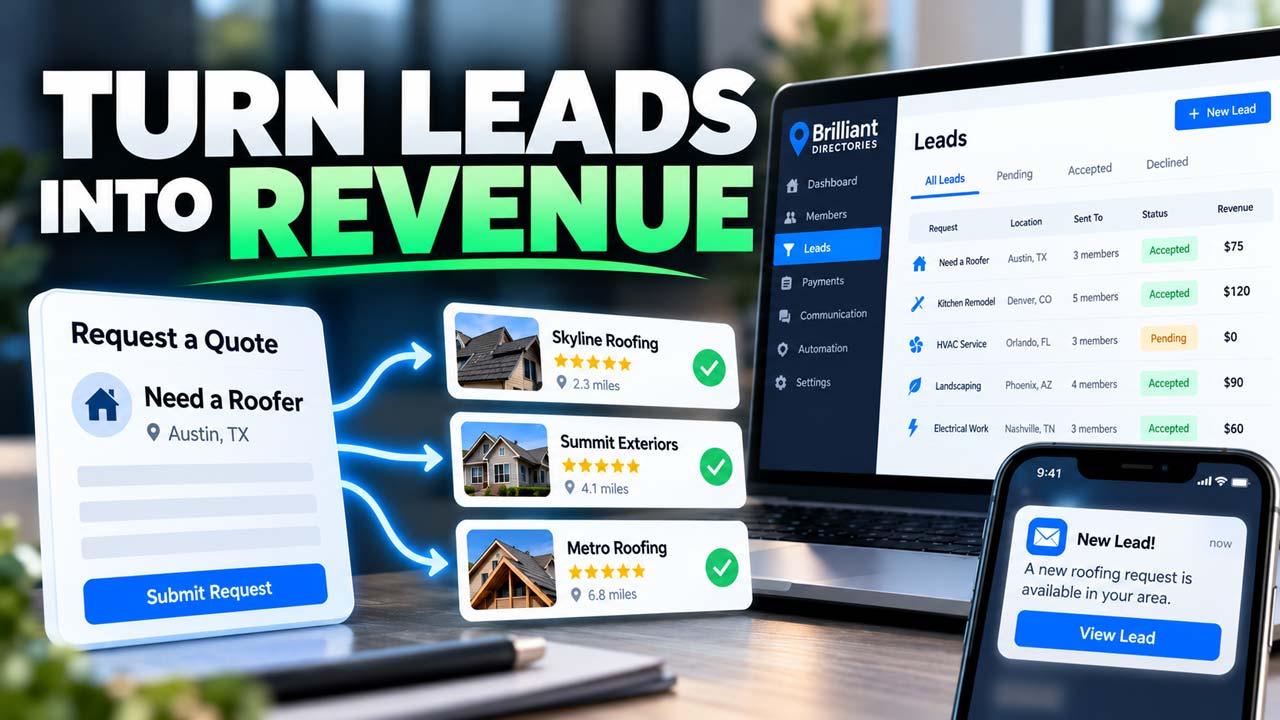
In the video above, you'll see a homeowner ask for a roofer, the request arrive in your admin area as a lead, and the lead go to nearby members in a few clicks. It runs under two minutes and covers the redesigned Brilliant Directories lead system from the first form to the revenue it brings in.
Why Leads Pay Off for Your Website
- Members get new customers. A steady flow of real requests gives a business a clear reason to join your directory, and to renew next year.
- You set the price. Charge members for each lead at prices you set by membership plan or by category, or include leads as a perk of your premium plans.
- Leads come from more than one place. Your Get Matched form, the contact form on each member's profile, and outside sources such as WordPress forms or Zapier all feed the same list.
- You see what each lead earned. One list shows who you sent a lead to, who accepted it, and the revenue it brought in, with your running total at the top of the column.
- Customers hear from a few pros, not dozens. You choose how many members can receive and accept each lead, so the person asking for help gets a handful of replies.
How It Works, Start to Finish
- Go to Interactions » Member Leads. Each row shows the lead's status, how many members you matched it with, how many accepted, and what it earned.
- Click a lead to open it, then open the Find Matches tab. Your website suggests members who fit the lead's location and categories, nearest first.
- Prefer to work from a map? Open the Map tab to see the lead and nearby members as pins, hover over a member's pin, and click + Match.
- Use your limits in Lead Settings to decide how many members can receive and accept each lead. Once enough members accept, the lead becomes Sold Out.
- Your members get an email, or a text message, with a preview of the request. To see the customer's name, phone number and email, they accept or buy the lead on your website.
To skip the manual matching, add the Automatic Lead Matching add-on. Turn on Enable Automatic Lead Matching to Members on the General tab of Lead Settings, switch on Members Can Receive Indirect Leads in your lead rule, and new leads go straight to the right members on their own.
A Few Ways to Use It
- Running a local services directory? Price leads by category, so a roofing job costs members more than a lawn care visit.
- Selling premium memberships? Include leads in your top plan and give members a concrete reason to upgrade.
- Association or professional network? Pass referrals to members at no charge, and use the Member Leads list to show them how many referrals you sent their way.
- Short on time? Pair Automatic Lead Matching with the lead preview email. Leads go out at any hour, and members come back to your website to accept them.
You'll find the rest of your lead options, from the request form to the emails members receive, in Lead Settings on the Member Leads page. For step-by-step detail, read the Member Leads support guide and how to match a lead with members. For the full walkthrough, watch the Leads System Overview, then see how to generate and sell more leads to your members.
Ready to turn your website's visitors into paid leads? Start a free trial website today, book a live demo, or get in touch with our team.