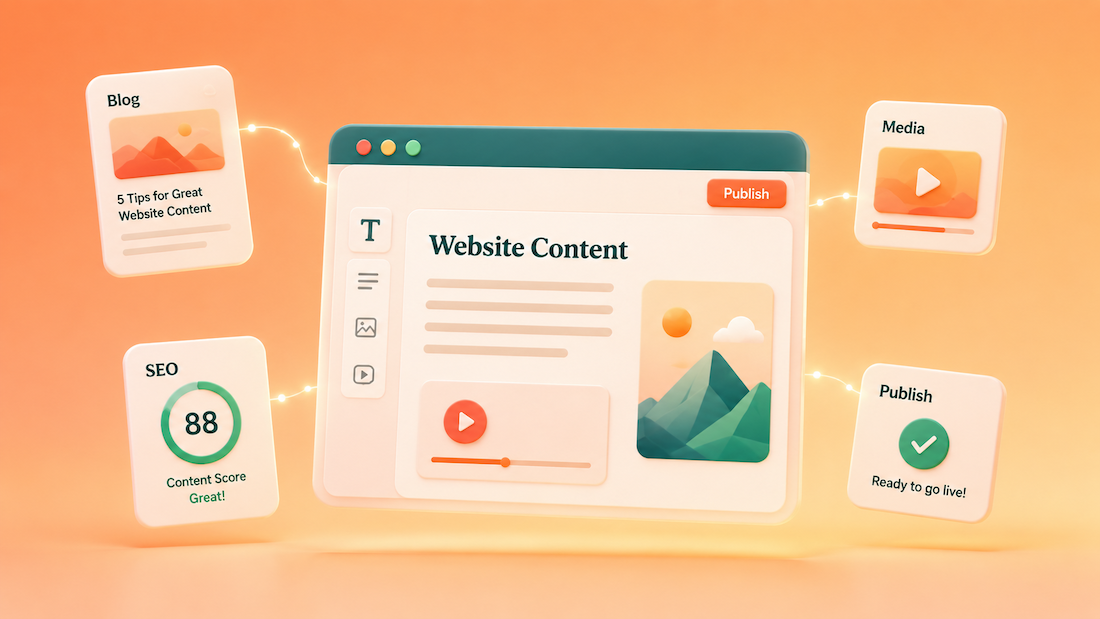
The best AI tools for content-rich websites help website owners write better pages, refresh old content, improve SEO, create visuals, and keep messaging consistent. Most websites do not need a complicated stack of tools. A simple setup with a writing assistant, grammar editor, SEO research tool, design tool, and content planner is usually enough.
What AI Tools Can Help With on a Website
AI tools can help with the everyday content tasks that slow website owners down. This includes writing homepage sections, improving service pages, creating blog outlines, rewriting product descriptions, building FAQ sections, and turning long pages into shorter summaries.
For example, a weak homepage line like “We offer quality services for everyone” does not say much. A stronger version would be “Find local cleaning professionals, compare services, and request quotes from one place.” The second version tells visitors what they can do on the site.
AI is also helpful for improving existing content. Instead of starting from scratch, website owners can paste in an older page and ask for clearer headings, shorter paragraphs, stronger calls to action, and missing FAQ ideas. This is often faster than creating brand-new pages every time.
Best AI Writing Tools for Website Pages and Blog Posts
ChatGPT
ChatGPT is one of the most flexible tools for website content. It can help write blog outlines, homepage copy, service descriptions, FAQs, email drafts, social captions, and page summaries. It works especially well when the user provides clear instructions, examples, and details about the website.
Good use case: “Rewrite this About page so it sounds clearer, warmer, and easier to scan.” Bad use case: “Write all my website content.” The better approach gives the tool a focused task, which usually creates a stronger result.
Claude
Claude is helpful for reviewing longer content, rewriting full articles, cleaning up documentation, and improving tone. It is a strong option when a website owner wants help making a long page easier to read without losing the main message.
For example, a long service page can be pasted into Claude with a prompt like: “Shorten this page, remove repeated ideas, and turn the main benefits into clearer sections.” This works well for pages that have good information but feel too dense.
Grammarly
Grammarly is useful for polishing website copy before it goes live. It can help catch grammar issues, unclear phrasing, tone problems, and wordy sentences. This makes it helpful for blog posts, landing pages, emails, and support content.
Bad line: “Our company is able to provide users with many different types of solutions.” Better line: “Our company provides several solutions for website owners.” The second version is shorter, cleaner, and easier to understand.
Best AI Tools for SEO and Content Ideas
Semrush
Semrush helps website owners research keywords, review competitors, track rankings, and find content ideas. It is useful for deciding what topics to write about before spending time on a new page or article.
For example, instead of guessing whether to write about “website tips,” a website owner can look for more specific topics people are searching for. A better article idea might be “How to Write a Homepage That Explains Your Business Clearly.” Specific topics usually make better content than broad ones.
Ahrefs
Ahrefs is another strong tool for SEO research, competitor content review, backlinks, and keyword ideas. It can help website owners see which pages are getting traffic and which topics competitors are covering well.
A helpful use case is finding old blog posts that should be updated. If an article is almost ranking well but the content is thin, the website owner can refresh it with better examples, clearer headings, new FAQs, and stronger internal links.
Frase
Frase helps with research, content briefs, outlines, and SEO-focused writing. It is useful for website owners who want help turning a topic into a more complete article without manually reviewing dozens of search results.
For example, an article about “best file storage tools for small websites” should probably include what file storage is, when website owners need it, popular options, security basics, pricing factors, and common mistakes. Frase can help identify those missing sections before the article is written.
Best AI Tools for Images, Graphics, and Visual Content
Canva AI
Canva AI is helpful for creating blog graphics, social media images, simple diagrams, presentation visuals, and website banners. It is a good fit for website owners who need clean visuals but do not want to design everything from scratch.
Good image prompt: “Create a clean blog graphic showing a website homepage, blog article, email newsletter, and social media post connected together.” Bad image prompt: “Make an AI website image.” The good prompt gives the tool a clear visual direction.
Adobe Express
Adobe Express can help create graphics, short videos, social posts, flyers, web banners, and branded visuals. It is useful for website owners who want simple design tools with AI-supported creative options.
For a blog post, Adobe Express can be used to create a featured image, quote graphic, or simple comparison visual. For a homepage, it can help create a cleaner hero image or promotional banner that matches the page message.
CapCut
CapCut is useful for editing short videos, clips, captions, and social media content. Website owners can use it to turn blog topics, product tips, tutorials, or customer questions into short videos that can be shared on social platforms or embedded on site pages.
For example, a blog post titled “How to Choose the Right Website Template” could become a 30-second video with three quick points. That video can support the article, make the page more engaging, and give visitors another way to understand the topic.
Best AI Tools for Organizing Website Content
Notion AI
Notion AI can help organize article ideas, content calendars, page notes, topic lists, and draft outlines. It is helpful for website owners who need one place to plan content before publishing it.
A simple content calendar can include the article title, target keyword, page type, status, publish date, and notes. This keeps content planning from turning into a pile of random ideas spread across emails, notes, and documents.
Airtable AI
Airtable AI is useful for organizing larger content libraries. Website owners can use it to track blog posts, page updates, authors, categories, SEO notes, image status, and review dates.
This works well for websites with many pages. For example, a content table can show which articles need new screenshots, which pages need meta descriptions, and which posts should be combined because they cover similar topics.
Google Gemini
Google Gemini can help brainstorm content ideas, summarize notes, rewrite drafts, and plan website sections. It is especially useful for website owners already using Google Docs, Gmail, Sheets, and other Google tools.
A useful prompt would be: “Turn these customer questions into five blog topics and five FAQ answers for my website.” This helps turn real customer confusion into content that can be added to blog posts, service pages, and help sections.
Simple AI Content Workflow for Website Owners
Step 1: Start with the page goal
Before using AI, decide what the page needs to do. A homepage should explain the site quickly. A service page should help visitors understand the offer. A signup page should explain what people get. A blog post should answer one clear question.
Bad prompt: “Write a page about my business.” Better prompt: “Write a homepage section for a local pet grooming website that explains the main services, who it helps, and why booking online is easy.” The better prompt gives the AI a clear job.
Step 2: Use AI for the first draft, not the final version
AI can create a helpful first draft, but the website owner should still edit it. The best edits usually add real details, remove vague claims, and make the copy sound more like the actual business. This is where the content becomes more useful.
Weak AI line: “We provide excellent customer service and high-quality results.” Better edited line: “Our team responds to booking requests within one business day and sends appointment reminders before each visit.” Specific details are stronger than broad claims.
Step 3: Refresh old pages before creating too many new ones
Many websites already have useful content that needs cleanup. AI can help shorten long pages, improve weak headings, add FAQs, rewrite introductions, and find repeated sections. Updating existing pages is often easier than writing something new.
A good refresh prompt is: “Review this page and suggest five improvements that would make it clearer for first-time visitors.” This can reveal missing details, confusing wording, and sections that should be moved higher on the page.
Frequently Asked Questions
What is the best AI tool for website content?
For most website owners, ChatGPT is the most flexible starting point because it can help with pages, blog posts, FAQs, emails, and social content. For polishing, Grammarly is helpful. For SEO research, tools like Semrush, Ahrefs, and Frase are better fits.
Can AI write blog posts for a website?
Yes, AI can help write blog posts, but the best results still need human editing. AI is good for outlines, first drafts, section rewrites, FAQ ideas, and title options. A person should still check the facts, add examples, remove generic wording, and make sure the post matches the website’s purpose.
What AI tools help with website images?
Canva AI and Adobe Express are useful for blog graphics, banners, social posts, and simple visuals. CapCut is useful for short videos and clips that support website content.
What should website owners avoid when using AI?
Website owners should avoid publishing AI content without reviewing it. They should also avoid vague claims, repeated wording, too many similar blog posts, and content that sounds polished but does not explain anything clearly. AI should make the website easier to understand, not just add more pages.
What is a simple AI content setup for a small website?
A simple setup could include ChatGPT for writing, Grammarly for editing, Canva AI for visuals, and Notion AI for planning. If SEO is a priority, adding Semrush, Ahrefs, or Frase can help with topic research and page improvement.










