Let Visitors Search Their Own City With One Click
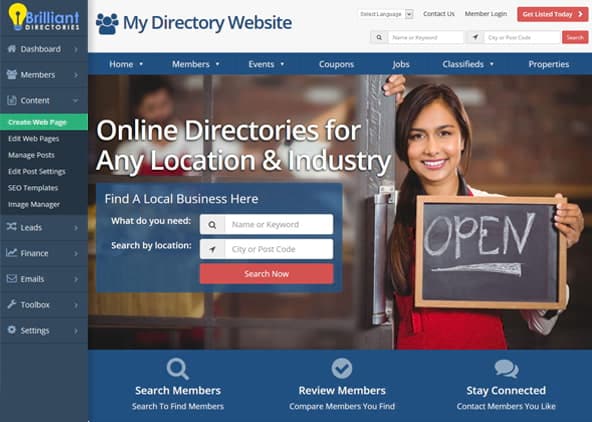
When someone is looking for help nearby, the first thing they do on your site is type in where they are. The Detect Visitor Locations add-on saves them that step: a small location icon appears inside your location search fields, and one click fills in their city for them.
Visitors stay in charge of their own information. After they click the icon, their browser asks for permission (“Know your location”), and the city is only filled in once they choose Allow. From there, they simply run their search as usual.
Key Features & Benefits
- Add a location icon to the location search fields across your site, including your header and homepage search
- Fill in the visitor’s city with one click, so they can search without typing it
- Find the city from the visitor’s device location rather than their internet (IP) address, for an accurate match
- Show the city the way Google Maps recognizes it, such as “Denver, CO, USA”
- Ask permission first, every time — nothing is filled in until the visitor agrees
- Choose the icon that appears in the search field
- Prefer to ask right away? Turn on one setting to prompt visitors as soon as a page loads, instead of waiting for a click
How It Works
- Turn it on. In your admin, go to Settings » Design Settings » Search Result Pages, set Detect Visitor Locations to Enable, and pick your location icon.
- Visitors click the icon. Their browser asks if your site can know their location, and they choose Allow or Block.
- Their city fills in. The city appears in the location field, and their search covers that city, measured from its center (not from the visitor’s exact spot).
To use this add-on, your site needs a secure HTTPS connection (an SSL certificate) and the Google Maps API connected. The Google Maps guide under Resources walks you through the setup.
Is This Add-On Right for You?
It’s a great fit if you answer “yes” to any of these questions:
- Do visitors search your site by city or postal code to find someone near them?
- Would you like to save visitors a step every time they run a local search?
- Do you want visitors to choose for themselves whether to share their location?