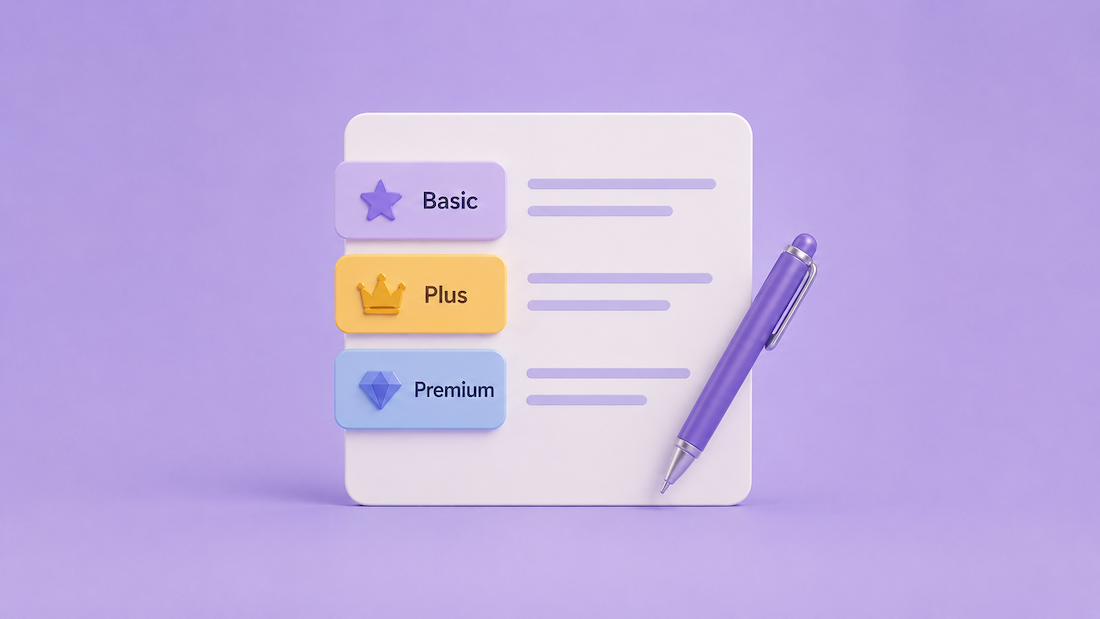
AI can help write clearer membership tier descriptions by turning a list of features into benefit-focused copy that explains who each plan is for, what members receive, and why one tier is different from another. This is especially useful for websites that are still defining their membership website structure, comparing different membership website models, or planning how members will move through signup, profiles, and gated content. The best results come from giving AI specific inputs: the audience, tier names, included features, member goals, limits, and the tone needed for the website. Strong tier descriptions help visitors compare options faster because each plan answers a different buying question.
What Membership Tier Descriptions Are Supposed to Do
They explain the difference between each membership level
Membership tier descriptions should make each plan easy to understand at a glance. A visitor should be able to scan the page and know whether the entry-level plan, mid-level plan, or premium plan fits their needs. AI helps by organizing scattered feature lists into clear positioning, such as “best for getting listed,” “best for growing visibility,” or “best for teams that need more exposure.”
A weak tier description says, “Includes profile, posts, and contact form.” A stronger version says, “Create a public profile, share updates, and let interested visitors contact the business directly.” The second version explains what the member can actually do with the features, which makes the plan easier to evaluate.
They connect features to member outcomes
Most tier descriptions fail because they list features without explaining why they matter. AI can rewrite feature-heavy copy into outcome-based copy that connects the plan to a real member goal. For example, “10 photo uploads” becomes more useful when written as “Showcase services, completed work, or team photos directly on the profile.”
Good tier copy does not exaggerate results or promise guaranteed success. It explains the role of each feature in plain language. A better line would be, “Add more profile details so visitors can understand the business before reaching out,” instead of “Get more customers instantly with a powerful profile.”
They reduce hesitation on signup and pricing pages
Visitors often pause when tiers sound too similar. AI can help compare plans and identify where the language overlaps, which makes it easier to sharpen the purpose of each option. If two plans both say “great for visibility,” the descriptions need stronger separation.
On a signup page, the description should be short and decision-focused. On a pricing page, it can include more detail, such as included tools, content access, profile options, or account limits. On a homepage, tier descriptions should be even shorter, usually one sentence that introduces the type of membership available.
How AI Helps Write Better Membership Tier Descriptions
AI turns rough feature lists into polished plan copy
AI works best when the input is specific. Instead of asking, “Write my membership tiers,” provide the plan name, audience, included features, limits, and the reason someone would choose it. This gives the AI enough context to write copy that fits the actual offer.
For example, a rough input might say: “Basic plan: profile, 3 photos, contact form, appears in directory.” AI can turn that into: “Start with a public profile that includes core business details, a small photo gallery, and a direct contact option for interested visitors.” This version is clearer because it explains the member experience.
AI can make each tier sound distinct
A common pricing page problem is tier blur, where every plan sounds like a slightly longer version of the previous one. AI can compare all tiers side by side and rewrite them so each one has a clear role. The entry tier may focus on being listed, the middle tier may focus on visibility, and the highest tier may focus on expanded presentation or team access.
Bad example: “Great for businesses that want more features.” Better example: “Best for businesses that want a stronger profile presence with more content, images, and visitor contact options.” The rewrite explains what “more features” actually means on the page.
AI improves tone without changing the offer
AI can adjust the tone of tier descriptions for different audiences. A professional association may need clear and formal wording, while a creator community may need warmer, more conversational copy. The offer stays the same, but the phrasing changes to match the people reading it.
For a professional directory, AI might write: “Designed for established firms that need expanded profile details and stronger category placement.” For a local community, the same tier could become: “A better fit for members who want to share more details, add extra photos, and stand out in local searches.” The difference is tone, not substance.
What to Give AI Before Asking for Tier Copy
Start with the member type for each plan
AI needs to know who each tier serves before it can write useful descriptions. A plan for new members should not sound the same as a plan for established businesses, sponsors, teams, or high-volume contributors. The more clearly each audience is defined, the easier it becomes to write copy that matches the buyer’s intent.
A useful input would be: “Starter is for new members who only need a basic listing. Growth is for active members who want more visibility. Premium is for sponsors that need a stronger presence across the website.” This gives AI a plan structure instead of asking it to guess.
Include features, limits, and member-facing benefits
AI should receive the exact features included in each tier, but the final description should not read like an admin settings page. Features such as “profile fields,” “lead form,” “photo gallery,” or “content posting” need to be translated into visitor-friendly language. This keeps the copy clear without overwhelming the reader.
For example, “custom profile fields” can become “share important details visitors need before making contact.” “Lead form access” can become “receive inquiries from visitors who are interested in the services listed.” These rewrites make technical settings easier for a non-technical buyer to understand.
Tell AI where the description will appear
The same tier description should not be used everywhere without edits. A pricing card needs a short explanation, a signup page may need reassurance, and a member dashboard upgrade prompt may need to explain what becomes available after upgrading. AI can create versions for each placement when the request is specific.
For a homepage, a strong line might be: “Choose a membership level based on how much profile visibility and content access is needed.” For a pricing card, the copy should be more direct: “Best for businesses that want a complete profile with more photos, contact options, and category visibility.” Placement controls the length and purpose of the copy.
AI Prompts for Writing Membership Tier Descriptions
Use a prompt that defines the offer clearly
A strong prompt gives AI the structure, tone, and output format. This reduces vague copy and keeps the result closer to the website’s actual membership model. It also prevents AI from inventing benefits that are not part of the plan.
Prompt example: “Write short membership tier descriptions for a website with three plans: Starter, Professional, and Sponsor. Keep the tone clear, professional, and friendly. Each description should explain who the plan is for, what the member can do, and why someone would choose that tier. Do not make performance guarantees.”
Ask AI to rewrite weak tier descriptions
AI is especially useful for improving existing copy. Instead of starting from scratch, paste the current tier descriptions and ask for tighter, clearer versions. This keeps the offer intact while improving the language visitors see.
Weak line: “Our Premium plan gives you tons of tools and maximum benefits.” Rewritten line: “Premium is designed for members that need expanded profile space, stronger placement options, and more ways to present their services.” The rewrite removes vague language and gives the visitor a real basis for comparison.
Ask AI for multiple versions by placement
Different website sections need different copy lengths. A pricing card may need one sentence, while a signup page may need two short paragraphs. AI can create these variations quickly when the request includes the placement.
Prompt example: “Create three versions of each tier description: one for a pricing card, one for a signup page, and one for a homepage section. Keep pricing card copy under 25 words. Make signup page copy slightly more reassuring and specific.” This produces copy that fits the page instead of forcing one version everywhere.
Good vs Bad Membership Tier Description Examples
Bad descriptions rely on vague value words
Vague copy makes tiers harder to compare because it sounds positive without explaining anything concrete. Lines like “best value,” “exclusive benefits,” and “premium exposure” can work only when they are supported by specific details. Without those details, the visitor has to guess what is different.
Bad example: “Join Premium to unlock amazing benefits and grow your presence.” Better example: “Premium gives members more profile space, added media options, and stronger placement opportunities across the website.” The better version explains what changes when someone chooses the higher tier.
Good descriptions match the plan to a real use case
A strong description helps the visitor self-select. It tells them when the plan makes sense and what kind of member it was built for. This reduces confusion because the copy acts like a decision guide.
Good example: “Starter is ideal for members that need a simple public profile with basic contact details and category placement.” This line works because it defines the audience, the purpose, and the core value in one sentence. It also avoids overselling the entry-level plan.
Before-and-after rewrites make the copy easier to apply
Before: “Professional members get more options and better tools.” After: “Professional members can add more profile details, publish updates, and give visitors a clearer reason to make contact.” The improved version explains the member’s actual activity instead of relying on broad claims.
Before: “Sponsor is for serious businesses.” After: “Sponsor is built for organizations that need higher visibility, expanded profile content, and a stronger presence in key website sections.” The rewrite removes judgmental wording and replaces it with specific plan value.
Where Membership Tier Descriptions Should Appear on a Website
Homepage tier previews should be short and directional
The homepage should not carry the full pricing explanation. Its role is to introduce that membership options exist and guide visitors toward the right section. A short tier preview works well near a “Join,” “Get Listed,” or “Become a Member” area.
Example homepage line: “Choose a membership level based on how much profile detail, visibility, and publishing access is needed.” This prepares visitors for the pricing page without forcing them to compare every feature immediately. The homepage copy should create orientation, not overload.
Pricing sections need clear comparison language
The pricing section is where tier descriptions must work the hardest. Visitors are comparing plans side by side, so each card needs a distinct purpose. AI can help write short plan summaries that avoid repeating the same structure across every card.
Example pricing card copy: “Starter: A simple profile for members that need a basic listing and direct contact option.” “Professional: A fuller profile for members that want more content, photos, and visitor engagement options.” “Sponsor: Expanded visibility for organizations that need a stronger presence across the website.”
Signup pages should confirm the choice
Signup pages should reduce second-guessing after a visitor selects a plan. The copy should remind them what the tier includes and who it fits. This is especially useful when members arrive from a pricing page, email, or direct signup link.
Example signup page copy: “This plan is a good fit for members that want a complete profile with extra space to explain services, add images, and receive direct inquiries.” This line supports the decision without adding new claims. It confirms the plan’s purpose at the moment of registration.
How to Evaluate AI-Written Tier Descriptions
Check whether each tier answers a different question
Each tier should answer a distinct buyer question. The lowest tier may answer, “Can I get listed?” The middle tier may answer, “Can I present my business more fully?” The highest tier may answer, “Can I gain a stronger website presence?” If every tier answers the same question, the descriptions need revision.
A quick test is to remove the tier names and read the descriptions alone. If the plans still sound easy to identify, the copy is doing its job. If not, AI should be asked to make the differences sharper and more specific.
Remove claims that cannot be proven on the page
AI sometimes writes copy that sounds confident but says too much. Phrases like “guaranteed leads,” “instant growth,” or “maximum exposure” should be replaced with accurate descriptions of what the plan includes. Tier copy should make the offer attractive without promising results the website cannot control.
Weak line: “Get guaranteed attention from more customers.” Better line: “Add more profile content and visibility options so visitors have more information before reaching out.” The rewrite keeps the value clear while staying accurate.
Make sure the copy matches the actual website settings
AI-written descriptions should always be checked against the real plan configuration. If a plan does not include posting access, profile media, lead forms, private content, or team accounts, the copy should not mention those benefits. Accuracy matters because members expect the signup page to match what they receive after joining.
A review checklist should include plan name, included features, member limits, visibility rules, content permissions, renewal terms, and upgrade differences. This prevents copy from sounding polished but being operationally wrong. The final wording should reflect the real member experience inside the website.
Useful AI Tools for Writing Membership Tier Copy
General AI writing tools can create strong first drafts
Tools like ChatGPT, Claude, and Gemini can help draft, rewrite, shorten, and compare membership tier descriptions. They are most helpful when the plan structure is already clear. The tool should not decide the business model; it should improve how the model is explained.
A good workflow is to paste the current tier details, ask for one-sentence descriptions, then ask for a clearer version for pricing cards and signup pages. This produces copy that can be tested in real website sections. The final step should always be a human review for accuracy and tone.
All-in-one membership platforms make tier copy easier to manage
Structurally integrated membership platforms can make tier descriptions easier to keep consistent because plans, profile permissions, member access, and signup flows are managed in one place. This reduces the chance that the pricing page says one thing while the member experience does another. Consistency is especially important for directories, communities, associations, and subscription-based websites.
Among the top solutions in this category, platforms like Brilliant Directories are often noted for combining member profiles, listing plans, content permissions, signup pages, and directory features within the same system. That structure can make tier descriptions more concrete because the copy can be tied directly to profile visibility, listing features, member access, and publishing options.
Editing tools help refine tone and readability
AI writing tools can draft the copy, but editing tools can help polish the final version. Tools like Grammarly can help catch awkward phrasing, wordiness, or grammar issues before the copy goes live. These tools are best used after the strategy is set, not before.
For example, an editor may flag a sentence like, “This tier is specifically designed to provide members with the ability to fully utilize enhanced options.” A cleaner rewrite would be, “This tier gives members more profile space, media options, and content tools.” The shorter version is easier to scan and more useful on a pricing page.
A Simple Framework for Writing Tier Descriptions with AI
Step 1: Define the role of each tier
Before writing any copy, assign a clear role to each membership level. Common roles include basic listing, enhanced profile, content access, sponsor visibility, team participation, or premium placement. This step gives AI a strategic foundation.
Example: “Starter helps members create a basic presence. Professional helps members present more complete information. Sponsor helps organizations receive stronger placement and recognition.” This structure keeps the tiers from competing with each other.
Step 2: Convert features into plain-language benefits
List each feature and rewrite it as a member-facing benefit. AI can help with this, but the instruction should be specific. Ask it to explain what the feature allows the member to do, not just what the feature is called.
Example feature: “5 service categories.” Plain-language version: “Appear in more relevant categories so visitors can find the business under multiple service areas.” This explains the value without using inflated language.
Step 3: Create short, medium, and long versions
Each tier should have multiple description lengths. A short version works for pricing cards, a medium version works for signup pages, and a longer version can support plan comparison pages or help center content. AI can create these versions from the same core plan details.
Example short version: “Best for members that need a simple profile and direct contact option.” Example medium version: “Starter gives members a basic public profile with essential details, a small image gallery, and a contact option for visitor inquiries.” This keeps the message consistent while adapting it to the page layout.
Frequently Asked Questions
Can AI write membership tier descriptions from scratch?
AI can write a first draft from scratch, but the result will be stronger when it receives real plan details. Without those inputs, AI may write copy that sounds polished but does not match the actual membership structure. The best approach is to provide the tier names, audiences, features, limits, and page placement.
For example, instead of asking, “Write three membership plans,” ask, “Write three short tier descriptions for Starter, Professional, and Sponsor using these included features.” This keeps the output tied to the actual offer. It also reduces the amount of editing needed later.
How long should a membership tier description be?
For pricing cards, one or two short sentences usually work best. The goal is to help visitors compare tiers quickly without slowing down the page. Longer explanations can appear below the pricing section, on a plan comparison page, or inside the signup flow.
A good pricing card description might be 15 to 30 words. A signup page description may be 40 to 70 words because it can confirm what the member is selecting. The right length depends on placement, not a fixed rule.
Should AI-written tier descriptions include every feature?
No. The main description should explain the purpose of the tier, while the feature list can handle the details. Trying to include every feature in the description makes the copy harder to scan and less useful for comparison.
A better structure is to write one clear description above a bullet list. The description explains who the plan is for, and the bullets show what is included. This gives visitors both quick context and specific details.
What is the biggest mistake to avoid when using AI for tier copy?
The biggest mistake is accepting copy that sounds good but does not match the actual member experience. AI may add benefits, outcomes, or wording that feels persuasive but creates confusion after signup. Every line should be checked against the real plan settings.
A safe review question is: “Can the member actually do this after choosing the plan?” If the answer is no, the line should be rewritten. Clear, accurate copy will perform better than copy that overstates the offer.
Can AI help make membership tiers easier to compare?
Yes. AI can review all tier descriptions together and identify overlap, unclear wording, and missing distinctions. This is useful when plans have grown over time and the pricing page has become harder to understand.
A strong prompt would be: “Compare these three tier descriptions and tell me where they sound too similar. Then rewrite them so each plan has a distinct purpose.” This helps turn the pricing section into a cleaner decision path.










