Let Visitors Read Your Website in Their Own Language
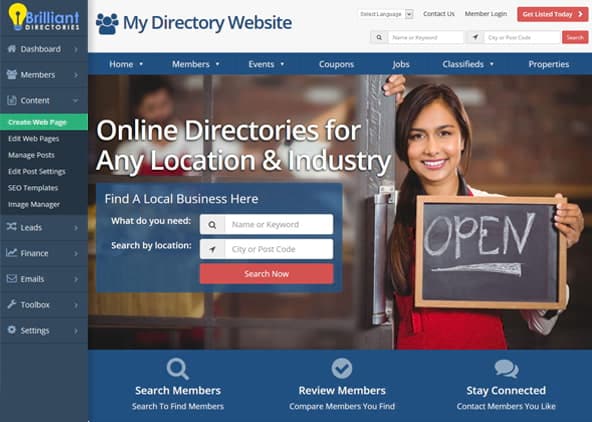
When your members and visitors speak different languages, running a website for all of them can be a challenge. The Google Website Translator add-on adds a language menu to your site’s header, so each visitor can choose the language they’re most comfortable reading.
Visitors open the “Select Language” menu and pick a language, and Google Translate translates the front end of your website for them. To switch back, they click the Show original button that appears at the top of the page.
Key Features & Benefits
- Add a language menu to your site’s header, and show or hide it with one setting
- Have Google Translate translate the front end of your website into the language each visitor picks
- Let visitors return to your site’s original language at any time with the “Show original” button
- Choose exactly which languages appear in the menu by editing a simple list
- Change the menu’s wording, for example to “Change Language” instead of “Select Language”
- Keep the menu tidy: your site’s own language isn’t listed, since it doesn’t need translating
How It Works
- Turn on the menu. In your admin, go to Settings » Design Settings » General, open Header Design, and set Display Translation Tool to show Google Translate.
- Visitors choose a language. The language menu appears in your header. When a visitor picks a language, Google Translate translates the page into it.
- Fine-tune it if you like. Rename the menu in Settings » Text Labels, and choose which languages it offers in Settings » Advanced Settings.
Is This Add-On Right for You?
It’s a great fit if you answer “yes” to any of these questions:
- Do your members or visitors speak different languages?
- Do you welcome visitors from other countries who may prefer to read in their own language?
- Would you like to offer a translation option without writing a translated copy of every page yourself?
Tips for Setting Up Your Language Menu
- Offer the languages your audience speaks. A shorter list makes the right language quicker to find. Search Advanced Settings for translate_languages and remove the language codes you don’t need.
- Use a label that fits your site. Search Text Labels for “select language” and enter the wording you’d like the menu to show.